On-Page SEO: The Complete Guide to Optimising Every Page for Google and AI Search (2026)
On-page SEO is the work you do on a page itself to help it rank. That covers your copy, your HTML, your links, and your images. It’s also the one part of SEO you fully control.
This guide walks through on-page SEO from the ground up. You will learn what on-page SEO is, why it matters and which on-page SEO techniques actually move the needle. The guide also compares on-page and off-page SEO to help you understand their differences and prioritise your efforts.
And because search has changed, AI search is also part of this guide. Tools like Google AI Overviews, ChatGPT, and Perplexity now pull answers from web pages. So your pages need to be optimised for both. Every technique below is one we use on client sites and on our own pages, and we share real examples from our own Search Console data along the way.
What Is On-Page SEO and How Does It Work?
On-page SEO is the practice of improving the parts of a page you control. The goal is to help search engines understand it. It also aims to improve the user experience.
For example, suppose your website has a page titled “best project management software”. Google looks at your title, headings, copy, links, and images. Then it decides whether your page answers the search.
Here’s how search engines handle your page, as Google explains in its own SEO Starter Guide:
- Crawl: Googlebot finds your page by following links.
- Index: Google reads the content and stores it.
- Rank: Google compares your page with others and picks the best match.
On-page SEO helps at every step. Clear structure makes crawling easier. Clean copy makes indexing easier, and strong relevance then helps ranking.
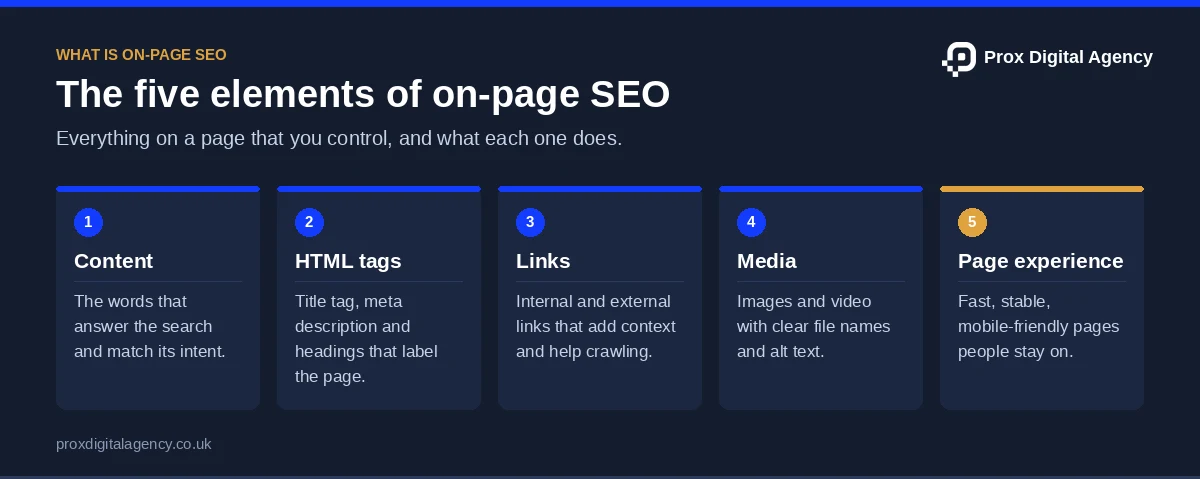
Here are the main elements:
In short, that’s the core of on-page SEO. Everything else builds around these five elements.
A Quick Before-and-After
Here’s how small changes look on a real page. For instance, take a SaaS company selling time-tracking software.
None of these changes needs a developer, yet each one makes the page clearer to Google and to a person scanning the results. In short, that’s the value of on-page SEO.
Why Is On-Page SEO Important for Rankings?
Now that you know what is on-page SEO, let’s look at why it matters.
Because search engines can’t rank what they can’t understand, on-page SEO comes first.
Here’s what it does for you:
- It signals relevance. Clear titles and headings tell Google what the page is about.
- It matches intent. Someone searching “VPN for streaming” wants a comparison. A page that delivers one wins.
- It lifts clicks. A strong title and meta description can earn more clicks from the same ranking spot.
- It supports everything else. Links and ads send people to your page. On-page SEO helps that page do its job.
Now look at this example. There are two web hosting pages. One is titled “Home”. The other is titled “Fast UK Web Hosting With 99.9% Uptime”. Both have similar backlinks, so which one is easier for Google to place? The second one, every time.
Good on-page SEO also protects your budget. A page that ranks well and converts means you spend less to get each lead.
Moreover, it also compounds. A page you optimise today keeps working next year. In contrast, paid ads stop the moment you stop paying. A well-built page for “business VPN setup” can keep bringing in readers for months.
On-Page vs Off-Page SEO: Key Differences and Which to Focus on First
On-page vs off-page SEO is a common question, and our beginner’s guide to SEO shows how both fit into SEO as a whole. The shortest answer is, on-page is what you do on your site. Off-page, on the other hand, is what happens elsewhere.
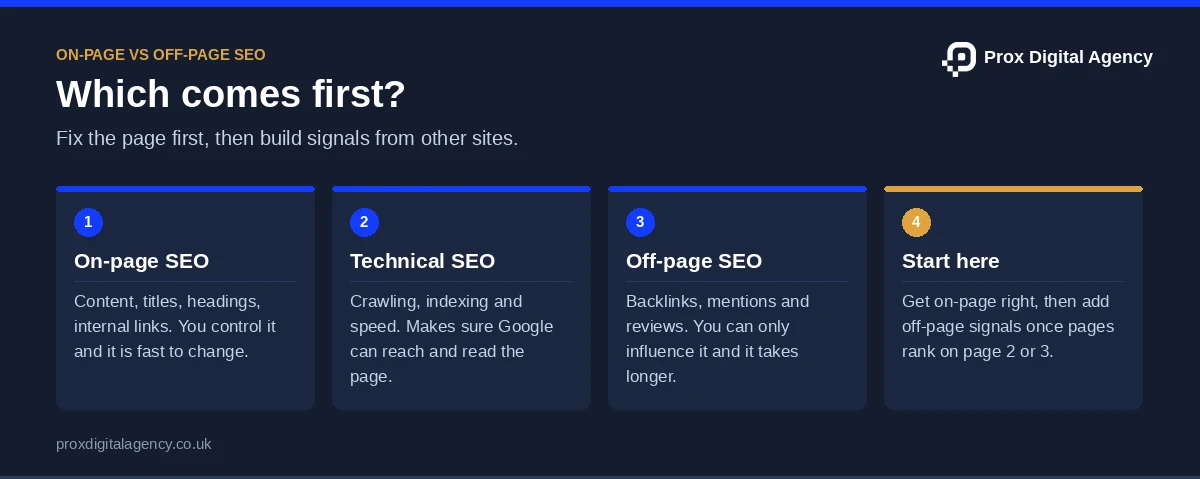
For example, suppose a new SaaS startup launched a brand new site. It has no backlinks yet, so should it chase links first? No. Because when the pages are thin or unclear, links won’t help much.
So when you weigh up on-page vs off-page SEO, start with the page. Get the content, structure, and tags right. Then build off-page signals like backlinks and mentions, which is where link building comes in.
When Off-Page SEO Starts to Matter
Off-page work starts to matter once your on-page SEO is in place. Here are signs you’re ready:
- Your key pages are clear, complete, and fast.
- You rank on page two or three for your target terms.
- Competitors with similar content outrank you because they have more backlinks.
Let’s say a web host has strong pages but sits at position 12 for “managed VPS hosting”. Now a few good tech blog mentions, or review-site links could push it higher. But without a solid on-page foundation, those links may have less impact on rankings.
There’s a third strand too. Technical SEO covers crawling, indexing, and site speed. It also makes sure Google can reach your pages in the first place. If you suspect problems like slow loading or blocked pages, read our technical SEO guide for the complete picture.
All three work together. But on-page is the easiest place to make fast progress.
On-Page SEO Techniques (With AI Search Tips)
These on-page SEO techniques cover the essentials. Each one includes a quick example and a tip for AI search. Work through them in order, or jump to the one you need.
Keyword Research and Placement
Every page needs one main topic and one main keyword. Pick it before you write.
Also, use a keyword tool to check search volume and related questions. Our step-by-step keyword research guide shows the full process. Then look at who ranks. If every result is a giant review site, choose a more specific phrase. “Best password manager for small business” is easier to win than “password manager”.
Once you’ve chosen, place the keyword where it counts:
For AI search: Cover the related questions too, like “is a password manager safe?”. AI tools often answer those together.
Search Intent and Content Depth
First, start with intent. Ask what the searcher actually wants. Then check the top results.
For instance, take a keyword, “best CRM software”. Page one is full of comparison lists, so if you publish a product brochure, you’ll miss the mark.
Go deep rather than long. Answer the main question first. Then cover the follow-ups people ask next, like pricing, setup, and integrations.
For AI search: Open with a direct answer in the first two sentences. AI tools often lift short, clear answers.
Title Tags and Meta Descriptions
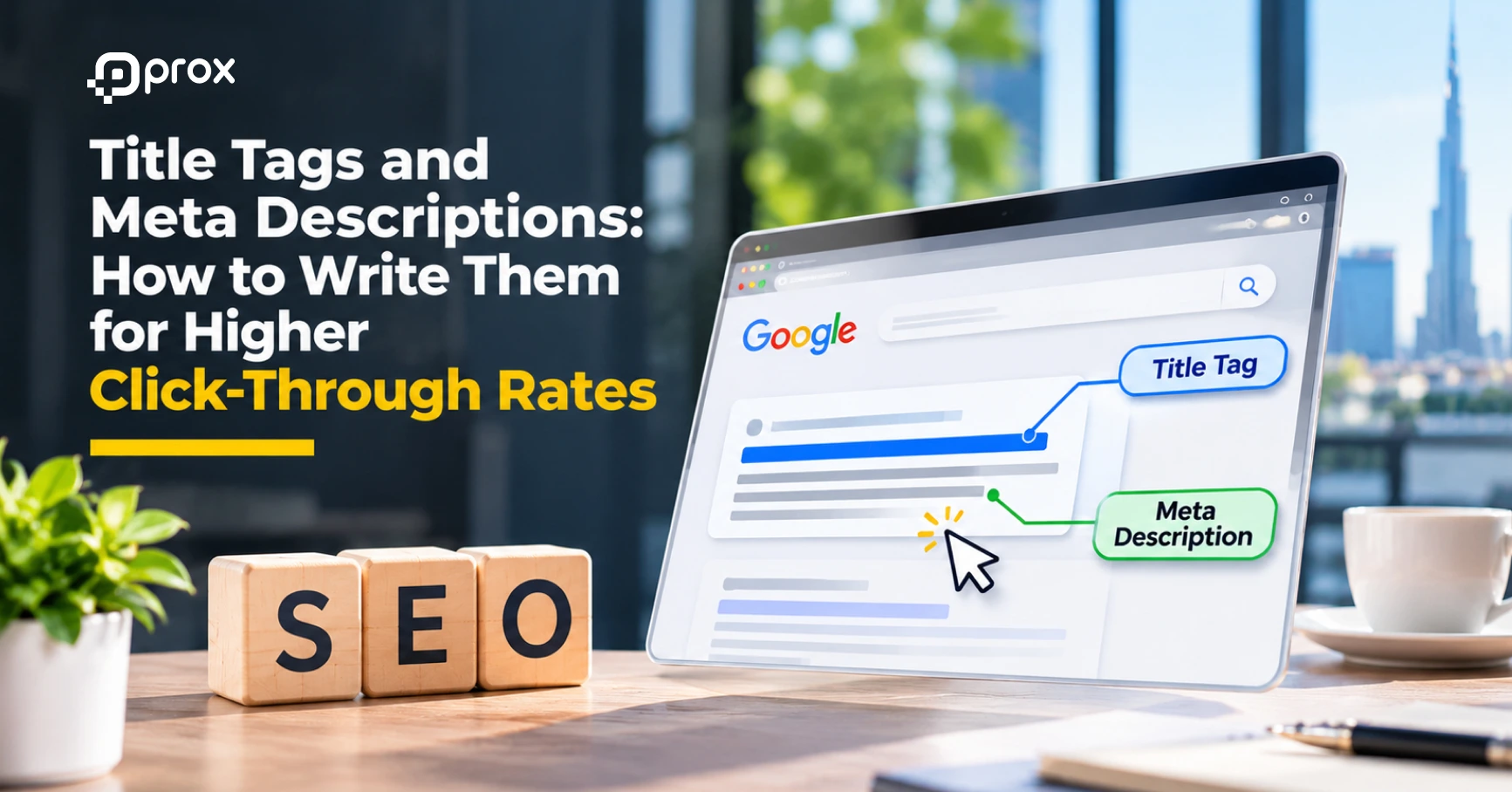
Your title tag is your headline in search results. Also, keep it to around 50-60 characters. Then add your main keyword near the front.
For example, if you sell cloud backup software, “Cloud Backup Software for Small Teams – BackupBox” is better than “Home – BackupBox” because it clearly tells users what the page offers. We see the cost of a weak snippet on our own site too: in the 28 days to 11 November 2026, our GEO service page sat at position 5.3 for “generative seo agency” with 203 impressions and no clicks. The ranking was fine; the snippet was not earning the click.
Your meta description, meanwhile, is your pitch. Aim for 150-160 characters. Say what the page offers and why someone should click.
Google measures width in pixels, so these counts are guides, not hard rules. If your titles keep getting cut off, our guide to writing title tags and meta descriptions shows how to write them for higher click-through rates.
For AI search: Make the title a plain description of the page. Clear labels are easier for AI tools to match.
Header Tags and Page Structure
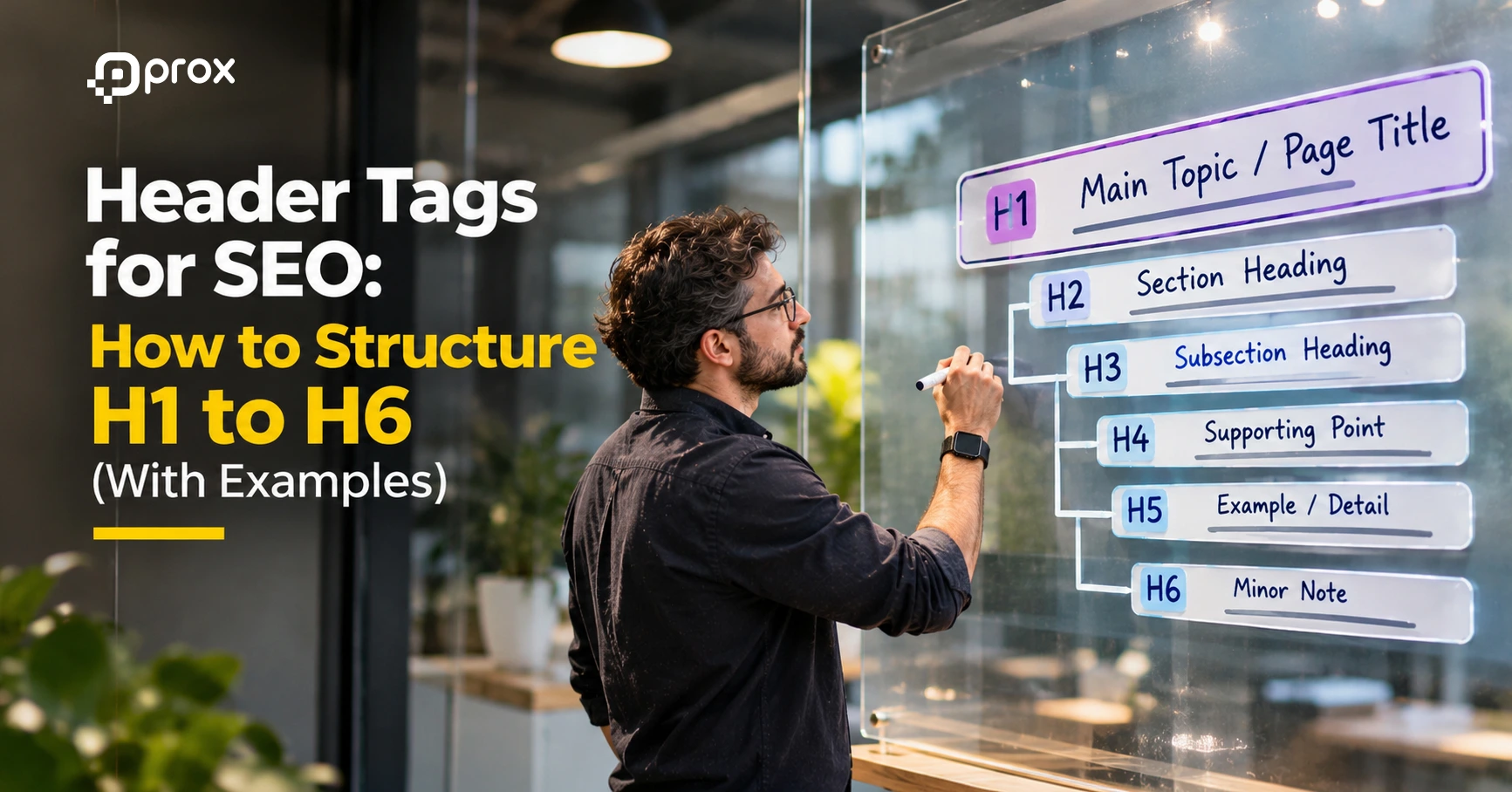
Headers also organise your page. Also, use one H1 for the main topic. Use H2s for main sections and H3s for sub-points.
For instance, imagine a page on home Wi-Fi mesh systems. The H1 states the topic. Next, the H2s might be “How mesh systems work” and “Best mesh systems for large homes”. The H3s could cover each product.
Also, don’t skip levels or use headers just for styling. If you’re unsure how to nest them, see our guide to header tags for SEO for worked examples.
For AI search: Write headings as clear questions or labels. Each section should make sense on its own.
SEO Copywriting
Good copy ranks and converts. Then write short sentences. Also, use plain words. Put your main keyword in the first 100 words, then use related terms naturally.
Here’s an example. A managed IT firm might write: “We fix laptop issues within four hours.” That beats “We deliver best-in-class support solutions.” One says something, whereas the other doesn’t.
Break up text with bullets, tables, and short paragraphs. Next, add a clear call to action at the end.
Want a step-by-step approach? Read our guide to SEO copywriting that ranks and converts. It’s handy when you’re rewriting a service page that gets traffic but no enquiries.
For AI search: Use specific facts, numbers, and clear claims. Vague copy rarely gets cited.
URLs and Internal Linking
Also, keep URLs short and readable. “/cloud-backup-for-small-teams” works. “/page?id=4827” doesn’t. Also, our guide to SEO-friendly URLs goes deeper. Internal links then connect your pages. They also help Google find content and understand how topics relate.
For example, a blog post about password managers can link to your cybersecurity services page. Also, use descriptive anchor text, like “business password manager setup”, not “click here”.
Link to useful pages only. Too many links water down the point. In addition, our internal linking strategy guide covers anchor text and structure in detail.
For AI search: Strong internal links show how your pages relate. That helps tools see your expertise on a topic.
Image SEO
Large, unoptimised images can slow down your page, although well-optimised ones help you rank.
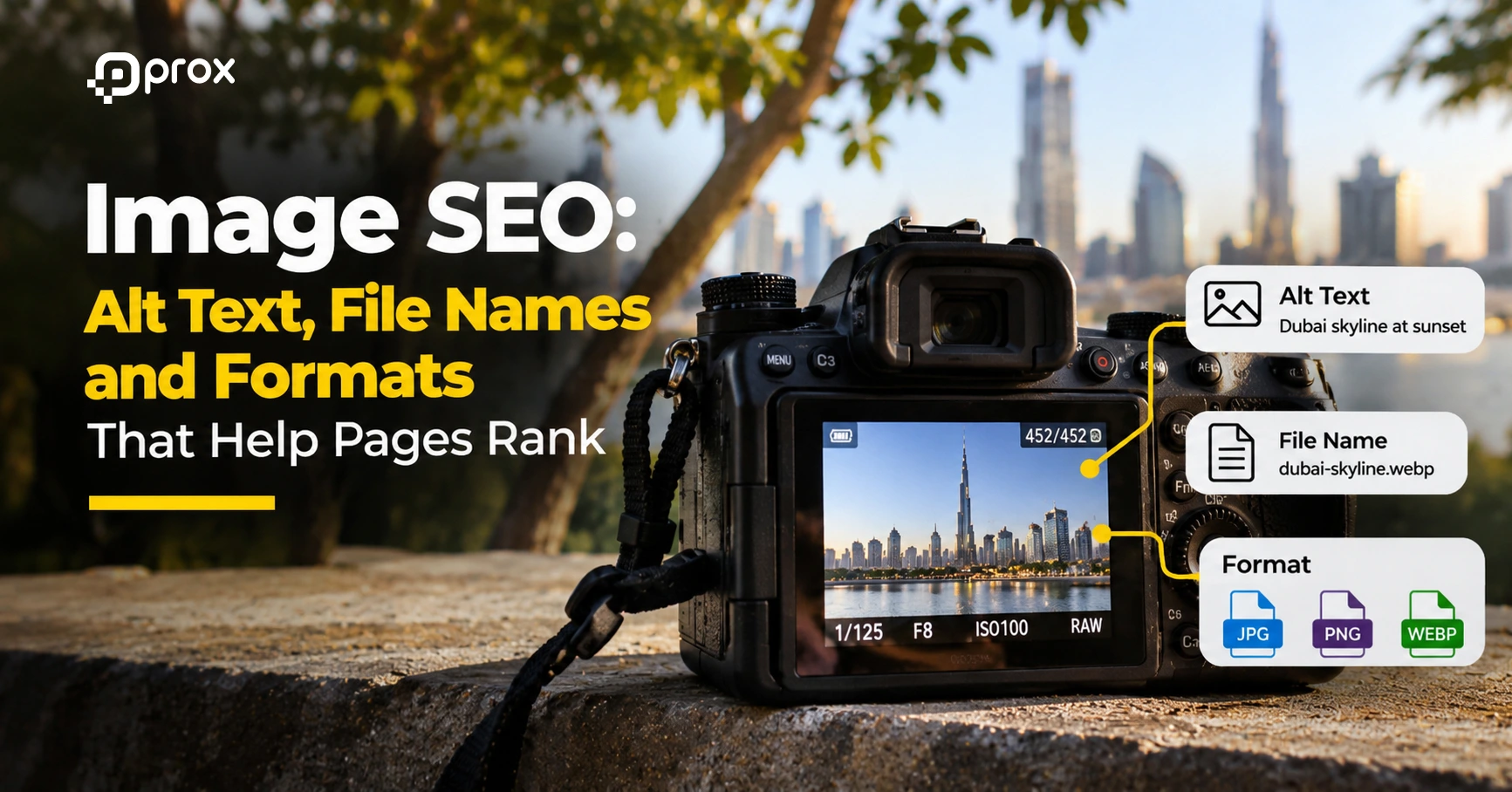
- File names: Use “wifi-mesh-router-setup.webp”, not “IMG_2041.jpg”.
- Alt text: Describe the image in plain words, like “Mesh router placed in a hallway”.
- Format and size: Use modern formats like WebP and compress your files.
A software review site with 40 screenshots can save seconds of load time just by compressing them. Also, our image SEO guide covers alt text, file names and formats in detail.
For AI search: Clear alt text helps AI tools understand your visuals.
E-E-A-T Signals
E-E-A-T stands for experience, expertise, authoritativeness and trust. It matters most for advice-led pages, and our guide on how to prove E-E-A-T on your website shows what to add. Then add an author name and a short bio. Show publish and update dates. Link to credible sources. If you review VPNs, explain how you tested them.
A cybersecurity blog written by a named security engineer feels more credible than an anonymous post.
For AI search: Original data, tests and clear authorship make your page a safer source to cite.
Page Experience and Core Web Vitals
People leave slow pages. Aim for fast loading, stable layouts and easy mobile use. Core Web Vitals measure this, and our Core Web Vitals guide explains each metric.
For example, say your SaaS pricing page jumps around as ads and widgets load. As a result, visitors misclick and leave. Compress images, limit heavy scripts and set image dimensions. Many of these fixes sit in the code. They’re part of technical SEO.
For AI search: Pages that load quickly and render cleanly are easier for crawlers to read.
Want to check everything at once? Run through our 27-point on-page SEO checklist. It’s a quick reference before you publish.
Not sure which of your pages is holding you back?
Send us one URL. We will check its title, headings, copy, links and images against the techniques in this guide and send back a prioritised fix list, free.
How to Optimise Different Page Types
However, not every page needs the same approach. Pick the on-page SEO techniques that fit each page type.
Homepage
Focus on your brand and your main offer. A SaaS homepage should say what the product does in the H1. It should also link to your key pages.
Service Pages
Target one main service per page. An IT support firm should have separate pages for “managed IT support” and “cybersecurity audits”. Next, add FAQs, proof and a clear call to action. If you’re not sure where to start with page-by-page fixes, our on-page SEO services are built for exactly this.
Location Pages
Local businesses need a page for each area. For instance, say an IT support firm covers Leeds and Bristol. Each page needs unique content: local clients, response times and address details. However, don’t copy one page and swap the city name. In addition, our complete guide to local SEO covers location pages in more depth.
Product and Category Pages
Similarly, online shops need on-page SEO. For example, imagine a store selling laptops. Its “gaming laptops” category page needs a unique intro, clear filters and helpful buying tips. Each product page needs its own title, specs and original description. Copying the manufacturer’s text makes your page look like 50 others. Then add reviews and a short FAQ for extra depth. See how we help e-commerce brands grow.
Blog Posts
Target one question per post. Link to related posts and to a relevant service page. Update older posts when tools or prices change.
How Do Search Engines Interpret Semantic Meaning in Page Content?
Search engines don’t just match words. Instead, they try to understand meaning. This is called semantic search.
They use natural language processing to read context. They also look at entities. An entity is a clear thing, like a company, product or place.
Here’s an example. Someone searches “apple battery drain”. Google has to decide if you mean the fruit, the company, or a phone problem. It checks the other words on the page, like “iPhone”, “settings” and “iOS update”. Those clues then point to the right meaning.
So how do you write for this?
- Cover the topic fully. A page about cloud storage should mention syncing, encryption, pricing, and file sharing.
- Use related terms naturally. Also, don’t repeat one keyword over and over.
- Be consistent. If you say “VPN” in one place and “private network tool” in another, make it clear they’re the same thing.
- Name things clearly. Mention product names, versions, and brands precisely.
- Schema markup helps too. It labels your content in a way machines read easily. A software page can use markup to say “this is a product, with this price and this rating”. Also, our schema markup guide shows how.
How Topic Clusters Build Topical Authority
Topic clusters also help search engines and AI systems understand how your content connects. For example, say you run a managed hosting company. One main page covers “managed hosting”. Supporting pages cover migrations, uptime, backups and security. Each supporting page links back to the main one. Together, they show Google you cover the whole subject. That’s stronger than ten unrelated posts.
Keyword stuffing doesn’t work any more; Google lists it in its spam policies. Clear, complete writing does, and our guide to semantic SEO and topical authority explains why.
Optimising for AI Search: Future Trends in On-Page SEO
AI search is growing. Google AI Overviews, ChatGPT Search and Perplexity all summarise answers from web pages. Nobody knows exactly how each tool picks its sources, although Google’s guide to AI features and your website confirms that the same SEO best practices still apply. But some patterns are clear enough to act on.
Here’s what to watch:
- Direct answers matter more. Pages that state the answer near the top are easier to quote. Think of a page on “what is a CDN”. The first lines should define it in plain words.
- Structure helps machines read. Tables, lists and clear headings break content into chunks. Tools can pull one chunk without needing the whole page. A SaaS company might add a “Pricing at a glance” table for exactly this reason.
- Entities and clarity win. Name your product, company and topic the same way across the page. Add schema where it fits.
- Trust signals count. Named authors, dates, sources and original tests make a page safer to cite. A benchmark of five laptops you actually tested is hard to copy.
- Clicks may change. AI summaries can answer questions without a visit. So focus on pages that offer something extra, like tools, comparisons and real data.
A word of caution: These are trends and expectations, not guarantees. After all, search is changing fast. The safest move is to keep making pages that are clear, accurate and useful. That works for Google and AI tools alike.
And keep testing. Then check how your pages show up in AI answers. Our guide to generative engine optimisation covers the AI-specific side. Then adjust based on what you find.
7 Common On-Page SEO Mistakes to Avoid
Even experienced teams slip up. Watch out for these:
- Duplicate titles: A web host with 30 location pages all titled “Web Hosting” confuses Google. Give each page its own.
- One keyword on many pages: Two pages chasing “cloud backup” compete with each other. Give each page a different job, using a keyword map to assign one keyword per page.
- Thin pages: A 150-word service page that says little won’t beat a detailed one.
- Ignoring mobile: A table that spills off a phone screen frustrates readers. Check key pages on a small device.
- Missing internal links: Orphan pages are hard for Google to find. Link to them from related pages.
- Heavy images: A 4 MB screenshot on a pricing page costs you visitors.
- Set and forget: Tools, prices and features change. Outdated pages lose trust fast.
Then fix the biggest ones first. Duplicate titles and thin pages usually give the quickest wins.
Turn On-Page SEO into Better Search Performance
On-page SEO focuses on making each page relevant to search intent, useful to readers, and easy to navigate. From titles and headings to internal links, page speed and content structure, every element helps search engines understand your content and users find what they need.
First, start with your most important page. Review its search intent, title, headings and copy, then check its images, links and loading speed. Monitor performance and revisit your changes as your content and search behaviour evolve.
Need to improve your website’s SEO? Prox Digital Agency helps businesses identify on-page issues, optimise existing content and build stronger SEO strategies. Get in touch with Prox Digital Agency to improve your website’s search performance.
On-Page SEO FAQs
How long does on-page SEO take to show results?
Usually a few weeks to a few months. Small fixes like title tags can show movement quickly once Google recrawls the page. However, bigger changes take longer. Competition matters too. A new page in a crowded niche, like VPN reviews, will take longer than one for a niche local IT service.
How many times should I use my target keyword on a page?
There’s no magic number. Place it in the spots from the placement table above, then stop. If it sounds awkward read aloud, cut it. Related terms and clear writing do more than repetition.
How often should I update existing pages?
Review key pages every 6 to 12 months. Update sooner if rankings drop, products change or information goes stale. A page on “best laptops” needs more regular updates than one on “how DNS works”.
Can I do this myself, or do I need an agency?
You can handle the basics yourself. Titles, headings, copy and alt text are all manageable in-house. Bring in help when you have hundreds of pages, stalled rankings, or no clear plan. As an on-page SEO agency in London, our team can audit your pages and give you a priority list.
What tools do I need for on-page SEO?
First, start with free ones: Google Search Console and PageSpeed Insights. Add a crawler like Screaming Frog to spot missing titles and broken links. A keyword research tool helps you check intent and find gaps. We compare the options in our guide to on-page SEO tools.
Prox Digital Agency · On-Page SEO
Want every important page optimised properly?
Our on-page SEO team rewrites titles and metas, fixes heading structure, improves copy and internal links, and tracks the results in Search Console.

 Muhammad Bilal, London
 7 mins
Image SEO: Alt Text, File Names and Formats That Help Pages Rank
Header Tags for SEO: How to Structure H1 to H6 (With Examples)
Title Tags and Meta Descriptions: How to Write Them for Higher Click-Through Rates
SEO Copywriting: How to Write Pages That Rank and Convert
On-Page SEO Checklist: 27 Checks to Run Before You Publish Any Page
How to Get More Google Reviews (and Handle Negative Ones) Without Hurting Your Rankings
Local SEO for Law Firms: How UK Solicitors Can Win More Local Enquiries
Local SEO for Dentists and Private Clinics: How to Win Patients Searching Nearby