On-Page SEO Checklist: 27 Checks to Run Before You Publish Any Page
On-Page SEO Checklist: 27 Checks to Run Before You Publish Any Page
Publishing a page without checking it first is like shipping an app without testing it. You might get lucky, but you’ll probably miss a bug. This on-page SEO checklist gives you 27 quick checks to run before every page goes live. Each one is a simple pass or fail, so you can work through the list fast.
For the theory behind each check, read our complete guide to on-page SEO. This post is the practical companion: a step-by-step checklist you can run every time.
Whether you run a SaaS site, an IT support firm, or a web shop, the checks work the same way. They work page by page; if you are launching a whole new site, pair them with our SEO checklist for a new website launch, which covers the site-wide set-up. So, let’s get started!
On-Page SEO Checklist for Small Business Owners With Limited Time
Running a business leaves little time for SEO. That’s fine, because you don’t need all 27 checks on every page.
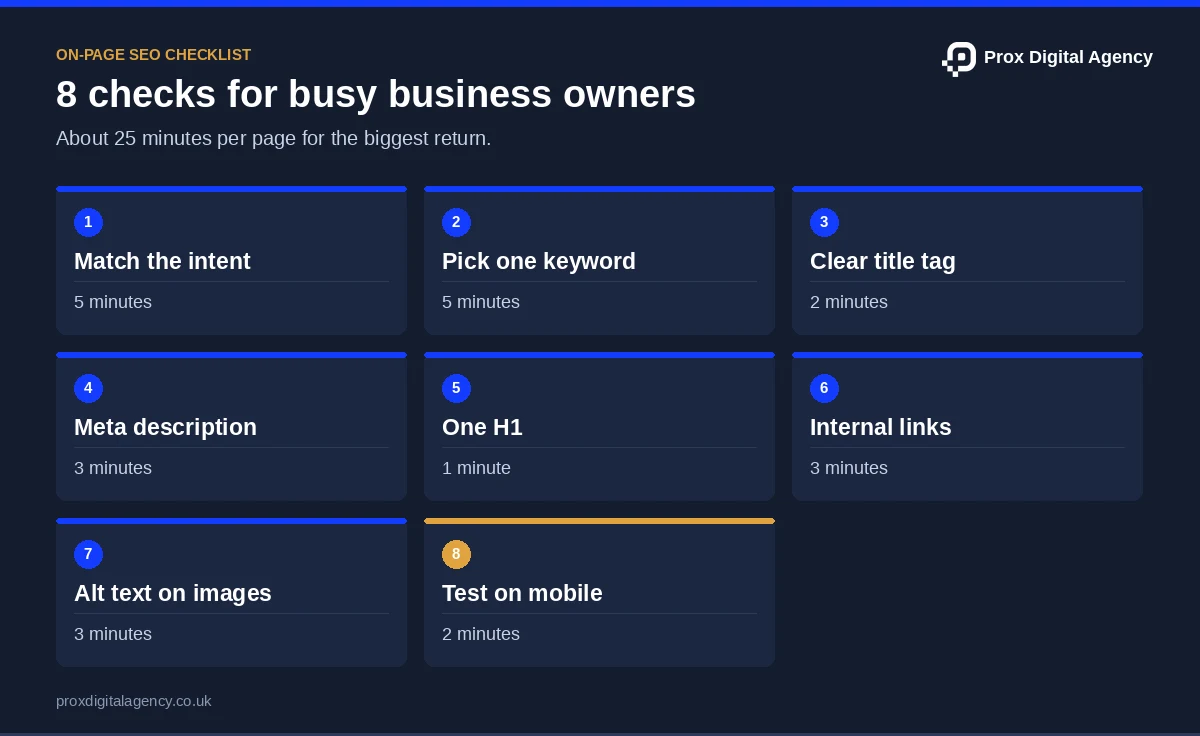
Here’s an on-page SEO checklist for small business owners with limited time. Do these eight first. They also give you the biggest return for the least effort.
For example, picture an IT support firm publishing a new page on managed Wi-Fi setup. It has 20 minutes before a client call. Those eight checks fit inside that time.
Now, work through the remaining checks.
The 27-Point On-Page SEO Checklist for Beginners: Step by Step
Here’s the full on-page SEO checklist for beginners, step-by-step. We’ve split the 27 checks into eight groups. Work through one group at a time. Each check has a short reason, so you know why you’re doing it.
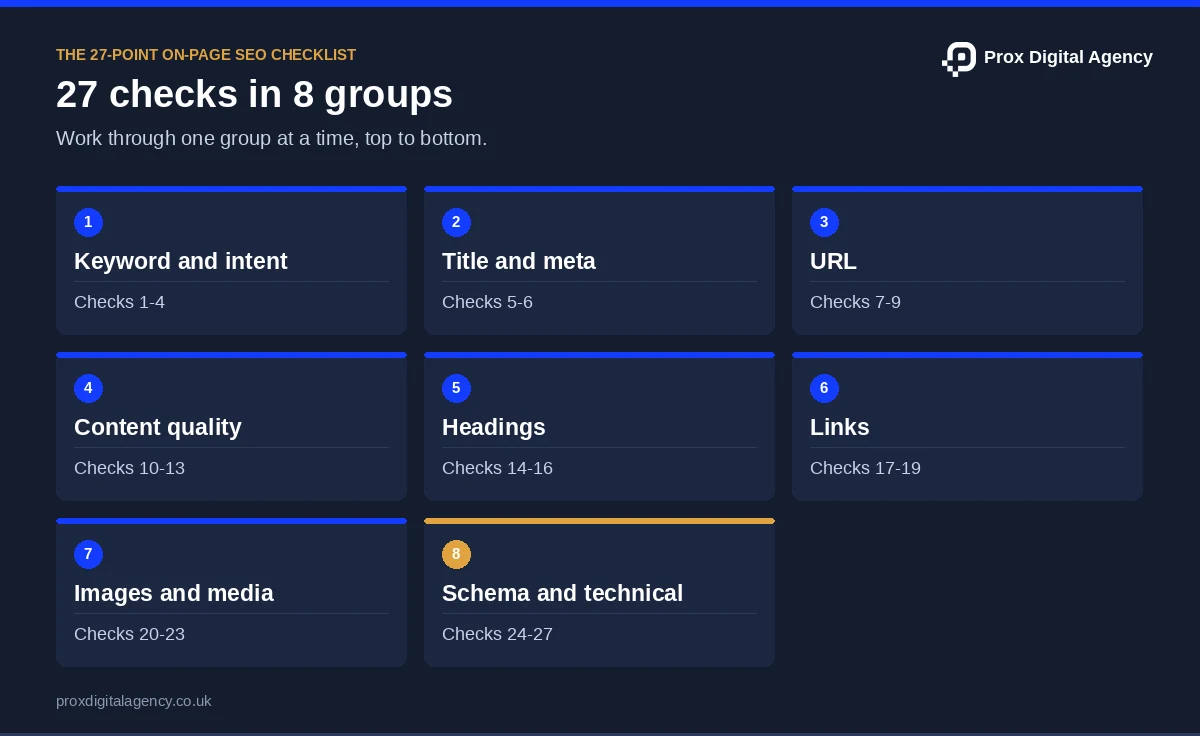
Keyword and Intent (Checks 1-4)
Start here. Everything else builds on these four checks.
Check 1: Pick one target keyword
Choose it by search volume, difficulty and relevance. For a post about cloud backup, “cloud backup for small business” is easier to win than just “backup”.
Check 2: Match the search intent
Before you write, look at the top results. If they’re all comparison lists, a sales page won’t rank. A search for “best VPN” wants comparisons.
Check 3: Use your keyword in the first paragraph
Mention it within the first 100 words. This tells readers and Google what the page is about, straight away.
Check 4: Add related terms
Also, use natural variations, like “data backup” or “file recovery”. This shows you cover the full topic, not just one phrase.
Title Tag and Meta Description (Checks 5-6)
These two show up in search results, so they affect clicks more than almost anything else on this list.
Check 5: Use clear title tags
Write a clear title tag of around 50-60 characters, placing your primary keyword near the beginning so users and search engines can quickly identify the page’s topic.
Check 6: Write a unique meta description
Aim for about 150-160 characters. Mention the keyword and give people a reason to click. Never reuse one across pages.
Want to get these right? Our guide to title tags and meta descriptions helps when your pages rank but don’t get clicks.
URL (Checks 7-9)
Your URL is small, but it’s easy to get wrong.
Check 7: Keep the slug short and readable
Also, use lowercase letters. “/managed-wifi-setup” is clear. “/page?id=4827” tells nobody anything.
Check 8: Include the target keyword
Separate words with hyphens. This helps people and search engines see what the page covers.
Check 9: Strip out the bloat
Remove dates, extra numbers and filler words. A URL like “/2026/10/30/post-final-v2” ages badly and is hard to reuse.
Changing a live URL? Set up a 301 redirect so you don’t lose your rankings. Also, our guide to SEO-friendly URLs covers URL structure in more depth.
Content Quality (Checks 10-13)
This is the part readers care about most.
Check 10: Check quality and E-E-A-T
Is the content original, accurate and up to date? Add an author name and show how you know your topic. In addition, our guide on proving E-E-A-T lists the signals to add. A named engineer reviewing VPN setups beats an anonymous post.
Check 11: Cover what top results cover
Then compare your page with the top three. If rival pages on “best VPN for streaming” all include speed tests, add yours. Also, don’t pad with fluff to hit a word count. Google’s own helpful content guidance asks whether a page adds original value.
Check 12: Lead with direct answers
Start each main section with a short, clear answer. Then add detail. AI search tools often pull these opening lines, and our SEO copywriting guide shows how to write them.
Check 13: Proofread everything
Then check spelling, grammar and facts. Re-test any steps or settings you mention. A wrong menu name in a tutorial costs you trust.
Tip: read the page aloud. If you stumble, your reader will too.
Headings (Checks 14-16)
Headings help people scan. They also help Google understand your page.
Check 14: Use one H1
It should state the main topic and include your keyword. Think of it as the page’s headline.
Check 15: Build a logical hierarchy
Also, use H2s for main sections and H3s for sub-points. A page on firewall setup might use H2s for “Choose a firewall” and “Configure rules”. However, don’t skip levels or use headings just for styling.
Check 16: Make it scannable
Also, use short paragraphs, bullets and bold key points. Most people skim before they read.
Not sure how to nest everything? Explore our guide to header tags for SEO. It’s helpful when you’re fixing an old page with a messy outline, like a long documentation page.
Links (Checks 17-19)
Links connect your page to the rest of the web.
Check 17: Add internal links
Link to related pages on your site. A post on password managers should link to your cybersecurity services page. Aim for three to five where it makes sense. Also, our internal linking guide explains how to choose them.
Check 18: Link to trusted sources
Cite official docs, research or well-known tech sites when they help the reader. Also, don’t link out just to hit a number.
Check 19: Use descriptive anchor text
“Business password manager setup” tells people where the link goes. “Click here” doesn’t. It also gives Google context about the linked page.
Check that every link works before you publish. After all, broken links hurt trust.
Images and Media (Checks 20-23)
Images make pages better, but they can also make them slower.
Check 20: Compress your images
Also, use WebP or compressed JPEGs. Compress before you upload. A 4 MB screenshot can slow a whole page down.
Check 21: Add descriptive alt text
Describe what the image shows in plain words, like “Router admin panel showing guest Wi-Fi settings”. Use clear file names too, like “guest-wifi-settings.webp”. In addition, our image SEO guide has more examples.
Check 22: Set width and height
Then add dimensions to each image. This stops the layout jumping while the page loads. It’s one of the easiest speed wins.
Check 23: Use video only when it helps
A short setup demo can help. A stock clip, however, adds nothing. Skip this check if video doesn’t fit the page.
Schema and Technical (Checks 24-27)
These checks sit closer to the code. Don’t worry, though, because most take a minute.
Check 24: Add structured data
Use schema markup that fits the page, like Article, FAQ or Breadcrumb. It labels your content so machines can read it easily. Also, our schema markup guide shows the code.
Check 25: Test on mobile
Open the page on a real phone. Next, check that text is readable, buttons are tappable and tables don’t spill off the screen.
Check 26: Check Core Web Vitals
Aim for “Good” scores on LCP (load speed), INP (responsiveness) and CLS (layout shifts). Run the page through PageSpeed Insights. A bloated chat widget is a common culprit. Our Core Web Vitals guide explains each score.
Check 27: Confirm indexing settings
Make sure the page isn’t blocked by robots.txt or a noindex tag. Then check that the canonical tag points to the live URL. A technical SEO audit goes deeper if something looks off.
Want us to run the checklist for you?
Send us a page you are about to publish, or one that is not performing. We will run all 27 checks and tell you exactly what fails, free.
How to Optimise a Single Blog Post (Step by Step)
Wondering how to optimise a single blog post? You don’t need to run all 27 checks at once. Follow this order instead. It’s a simple step-by-step guide to optimising a single blog post.
For instance, imagine you’re writing a blog post titled “How to Set Up a Home VPN”.
- Research. Choose one keyword and check the intent (checks 1-2).
- Draft. Lead with a direct answer and add related terms (checks 3-4 and 10-12).
- Add your tags. Write the title tag, meta description and URL (checks 5-9).
- Structure it. Set one H1 and clear H2s (checks 14-16).
- Add links. Link to your VPN comparison page and one trusted source (checks 17-19).
- Handle images. Compress screenshots and add alt text (checks 20-23).
- Run the final checks. Test on mobile, check speed and proofread (checks 13 and 24-27).
Why this order? Research shapes your draft. Your tags and structure then come from the draft. And the technical checks make sense once everything’s on the page.
How to Conduct an On-Page SEO Audit for a New Website
Launching a new site? Here’s how to conduct an on-page SEO audit for a new website without getting overwhelmed.
- List every page. Export your URLs from your CMS or a crawler like Screaming Frog.
- Prioritise. First, start with your homepage, main service pages and top blog posts.
- Run the checklist. Go through the on-page SEO checklist on each priority page.
- Record the fixes. Use a simple tracker like the one below.
- Fix and re-check. Work through the list, then test again in a few weeks.
For instance, picture a SaaS startup with 60 pages at launch. However, it can’t fix everything on day one. So it audits its ten most important pages first. If you’d rather hand it over, Prox’s on-page SEO services include a full audit and a clear fix list. We run this same checklist on every blog post we publish.
Conclusion and Next Steps
An on-page SEO checklist helps you maintain consistency, catch common issues and ensure every page meets basic optimisation requirements before publication. Whether you publish one article a month or several each week, a structured process makes optimisation easier to manage.
If you’re short on time, start with the eight quick checks. If you run a small business, remember that an on-page SEO checklist for small business owners doesn’t need to take hours. And if you’re still learning how to optimise a single blog post, follow the step-by-step order we covered.
Need a hand? Our on-page optimisation services cover audits, fixes and ongoing support. Get in touch and Prox will review your pages with you.
On-Page SEO Checklist FAQs
How long does it take to run through the on-page SEO checklist?
About 30 to 45 minutes per page when you’re new to it. With practice, it drops to 15-20 minutes. Many checks, like the title tag and URL, take under a minute. Batch similar checks across several pages to speed things up.
Do I need paid tools to follow this on-page SEO checklist?
No. Google Search Console, PageSpeed Insights and your browser cover most checks. A free crawler can help for larger sites. We compare options in our guide to on-page SEO tools. Paid tools are handy later, but they aren’t needed to run an on-page SEO checklist for small business sites.
Can I use this on-page SEO checklist on pages I’ve already published?
Yes. Start with pages that get traffic but few clicks or leads. Re-run the checks, fix what fails and note the date. Review key pages every six months, or after big changes like a site redesign or a CMS migration.
Does it work on any CMS?
Yes. The checks are the same on WordPress, Shopify, Webflow and Wix. Only the settings location changes, though. For example, WordPress users often set titles and meta descriptions through an SEO plugin. Shopify has built-in fields on each page.
Will ticking all 27 on-page SEO checks guarantee a ranking?
No. A checklist makes sure your page is clear and complete. It can’t control competition, backlinks or algorithm changes. Think of it as removing obstacles, not guaranteeing a result. Strong pages still need time and off-page support.
Prox Digital Agency · On-Page SEO
Got more pages than time?
We audit your key pages against this on-page SEO checklist, fix what fails and keep new pages on track before they go live.

 Muhammad Bilal, London
 7 mins
Image SEO: Alt Text, File Names and Formats That Help Pages Rank
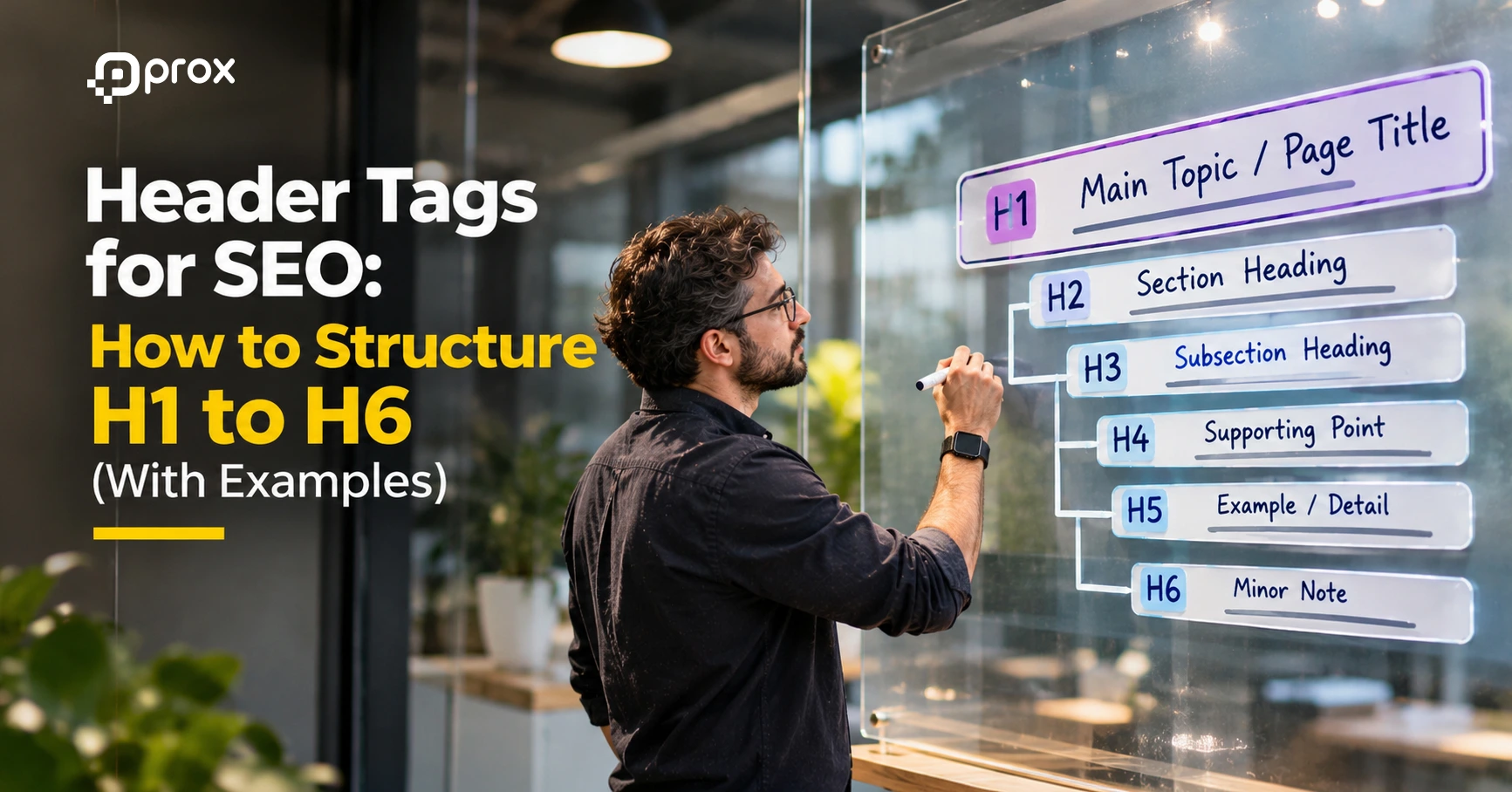
Header Tags for SEO: How to Structure H1 to H6 (With Examples)
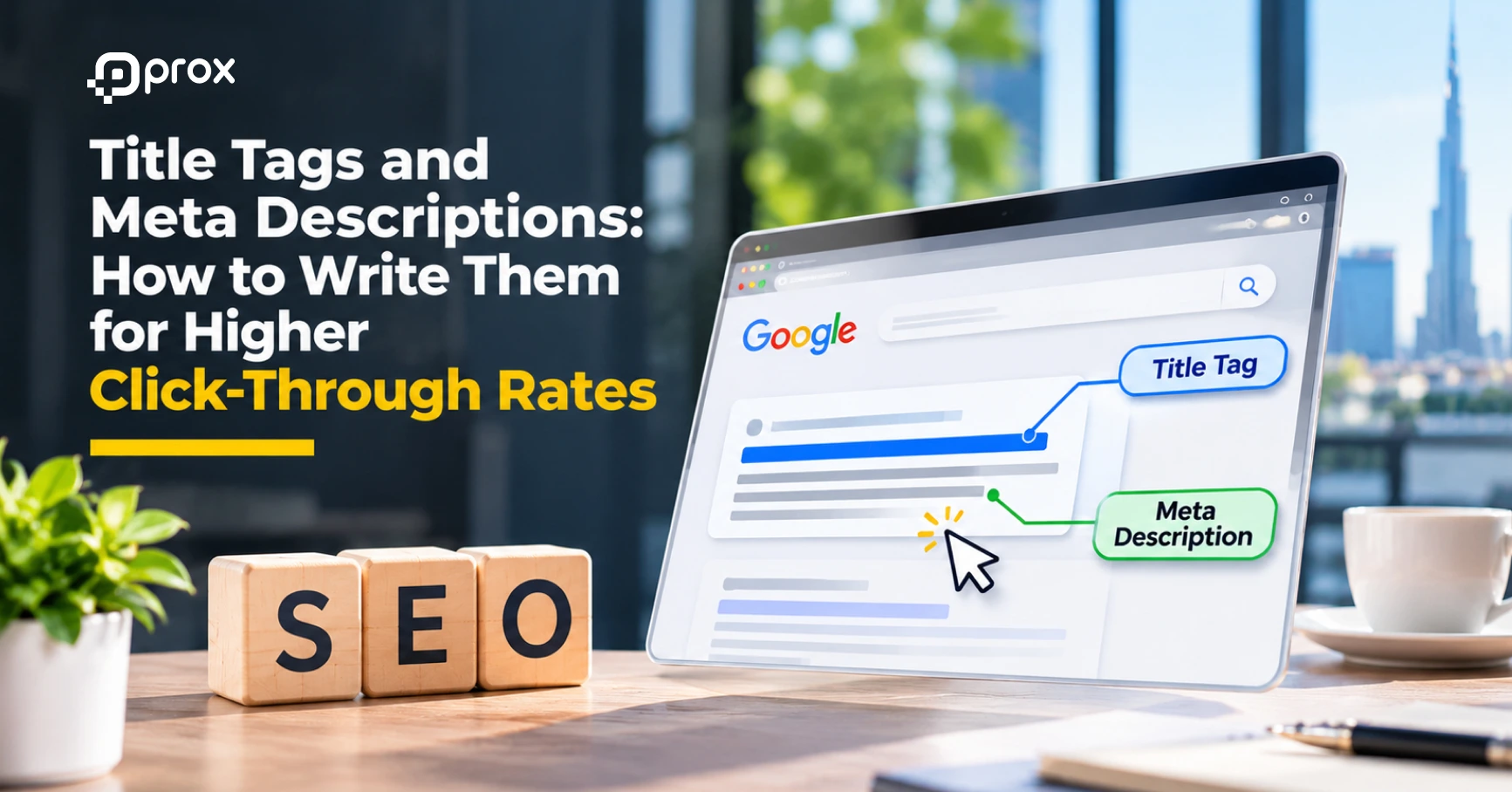
Title Tags and Meta Descriptions: How to Write Them for Higher Click-Through Rates

SEO Copywriting: How to Write Pages That Rank and Convert

On-Page SEO: The Complete Guide to Optimising Every Page for Google and AI Search (2026)
How to Get More Google Reviews (and Handle Negative Ones) Without Hurting Your Rankings

Local SEO for Law Firms: How UK Solicitors Can Win More Local Enquiries

Local SEO for Dentists and Private Clinics: How to Win Patients Searching Nearby