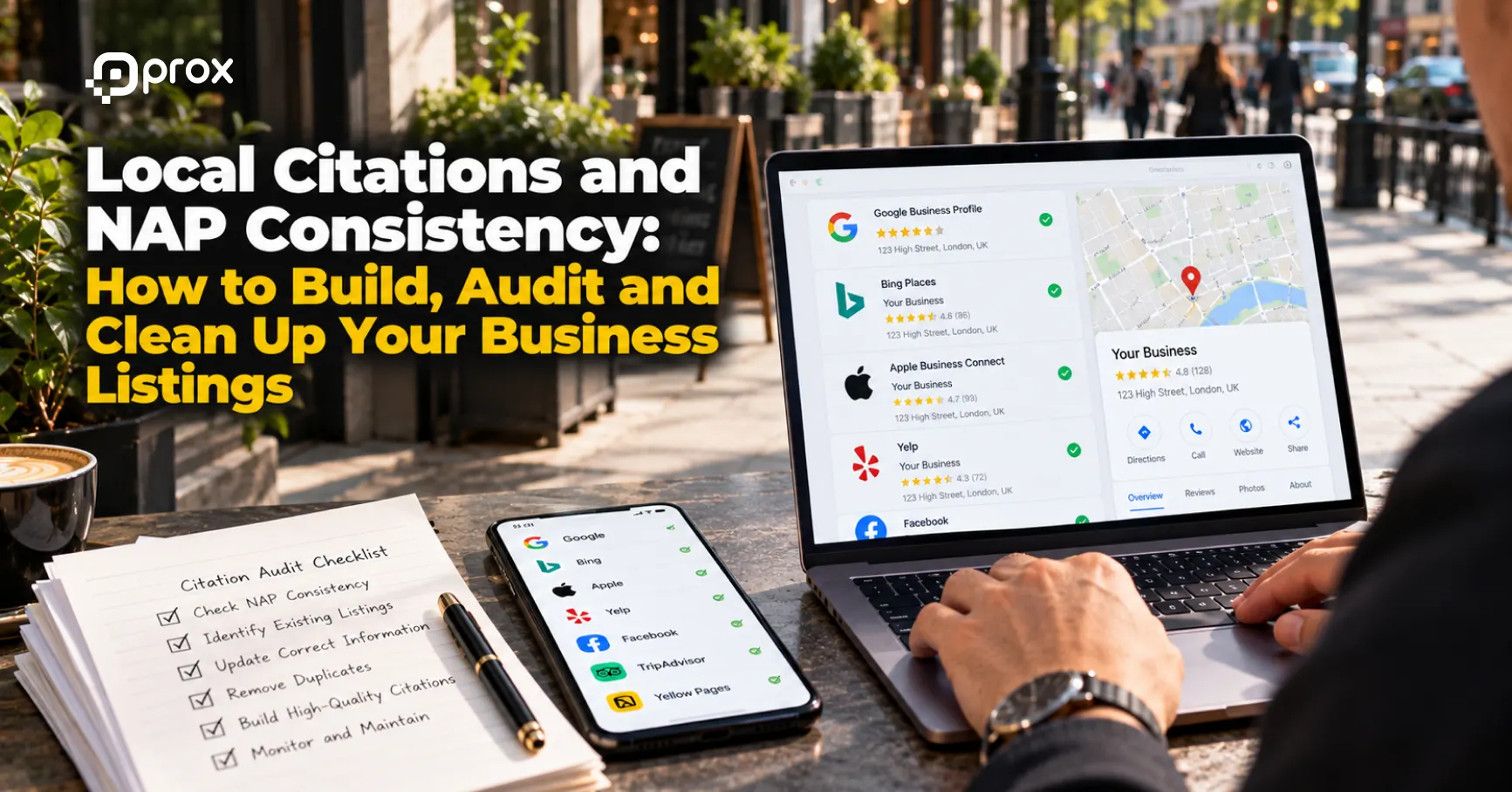
Local SEO Audit: How to Find What Is Holding Back Your Map Pack Rankings
A local SEO audit helps identify problems affecting your business’s visibility in Google Maps and local search results. It examines your Google Business Profile, website, local citations, customer reviews, and technical issues to determine where improvements are needed. See our guide on how to get more Google reviews for a simple, compliant process.
If your business isn’t appearing for relevant local searches, the problem could involve incomplete business information, weak website relevance, inaccurate listings, or competition from nearby businesses.
However, not every ranking issue can be fixed through website changes. Google also considers distance, which businesses cannot directly control.
This guide explains how to perform a local SEO audit, identify potential Google Maps ranking problems, and prioritise improvements that support local visibility.
What Is a Local SEO Audit?
A local SEO audit is a structured review of the factors that may influence a business’s visibility in location-based searches.
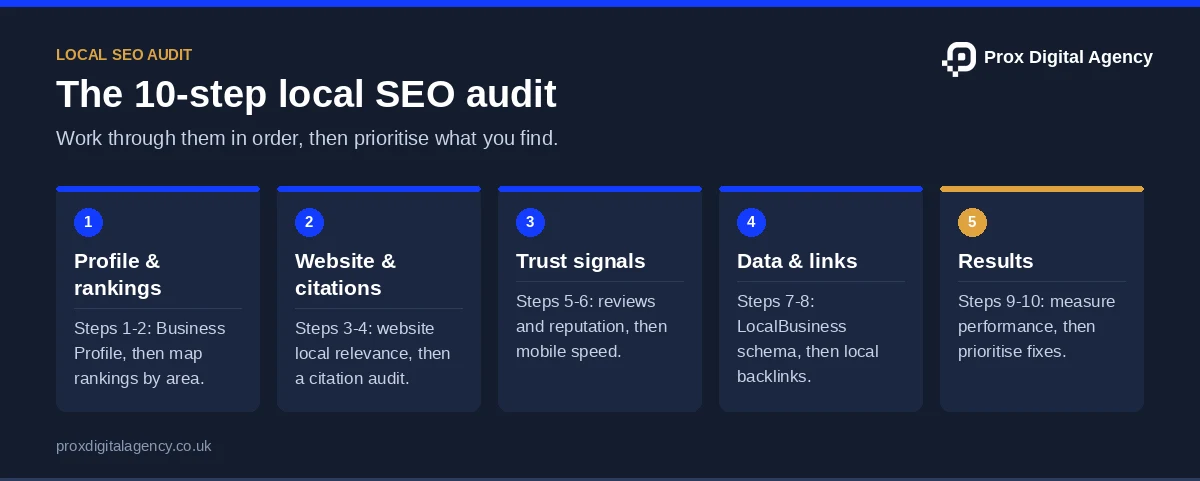
Unlike a general website audit, it considers both your website and the information customers encounter through Google Maps and other business listings.
A typical audit examines:
- Google Business Profile accuracy and eligibility
- Local search visibility and competitor performance
- Website content and geographic relevance
- Local citations and NAP consistency
- Customer reviews and reputation
- Mobile usability and technical issues
- Local business structured data
The objective is to identify specific problems and develop an action plan rather than make changes based on assumptions.
For background on Google’s local ranking factors, read our complete guide to local SEO.
What a Local SEO Audit Reveals: Why You’re Not in the Map Pack
Google’s local pack displays relevant businesses for location-based searches. However, appearing in these results depends on several factors.
Google identifies relevance, distance and prominence as the main considerations for local rankings.
Relevance
Relevance measures how closely your business matches a search.
If your Google Business Profile has incorrect categories or incomplete service information, Google may have less relevant information about your business.
Distance
Similarly, distance considers how far your business is from the location associated with the search.
For example, a dentist in central Leeds may appear differently for searches made in Leeds city centre compared with those made several miles away.
However, an audit cannot change your genuine business location.
Prominence
Finally, prominence considers how established a business is, including information such as links and customer reviews.
As a result, a business with limited online recognition may face stronger competition from established local providers.
These factors explain why no single optimisation guarantees a higher Map Pack ranking.
Step 1: Start Your Local SEO Audit With Your Google Business Profile
Start by reviewing the information displayed on your Google Business Profile.
This matters because incomplete or inaccurate details can make it harder for customers to identify your services or contact your business.
Check Your Business Information
Review the following details:
- Business name and primary category
- Address or service area
- Telephone number and website
- Regular and special opening hours
- Services and additional categories
- Photographs and business description
Then ensure the information reflects your actual operations.
Avoid adding keywords to your business name unless they’re genuinely part of your recognised trading name.
Check Profile Eligibility and Duplicates
Confirm that your business follows Google’s location and eligibility guidelines.
For example, a service-area business operating from a residential address should generally hide that address if it doesn’t receive customers there.
Next, search for duplicate profiles representing the same business location.
If duplicates exist, investigate the appropriate correction or management process rather than creating another listing.
Review Profile Completeness
Check whether your profile provides enough information for customers to understand what you offer.
For example, missing services, outdated photographs, or incorrect hours may affect the usefulness of your listing.
For detailed profile optimisation instructions, use our Google Business Profile optimisation checklist.
Step 2: Audit Local Map Rankings Across Your Area
A local SEO audit should evaluate visibility across relevant geographic areas, not just one search position.
After all, local rankings can change depending on where the searcher is located.
Identify Your Priority Search Terms
First, choose searches connected to your main services and target locations.
For example, a plumbing company in Manchester might assess:
- Emergency plumber Manchester
- Boiler repair in Manchester
- Plumber near me
Focus on terms likely to attract relevant customers rather than collecting unrelated keywords.
Review Geographic Ranking Differences
Next, check how your business appears across different parts of its genuine service area.
Local ranking tools may provide geographic grid reports showing visibility at multiple points.
However, these reports are estimates based on the tool’s methodology, not definitive rankings for every user.
Then record the locations where visibility is strongest or weakest.
Compare Relevant Competitors
Identify businesses appearing consistently for your target searches.
Then compare their categories, services, reviews, website relevance, and proximity.
At the same time, avoid assuming that one difference explains an entire ranking gap.
For example, a competitor with more reviews may also be closer to the searcher or more relevant to the query.
Step 3: Audit Your Website’s Local Relevance
Your website should make your services, operating location, and contact information clear.
Review the homepage and important service or location pages to determine whether they address relevant search intent.
Check Page Titles and Headings
In particular, each important page should have a descriptive title and a clear primary heading.
For example, a page covering boiler repairs in Nottingham should explain that service rather than use a generic heading such as “Our Solutions”.
Also, avoid unnecessary repetition of service and city keywords.
Review Service and Location Information
Check that customers can identify which services you provide and where they’re available.
In other words, a page should answer practical questions about the service, eligibility, coverage, and enquiry process.
For businesses with several branches, confirm that location pages contain accurate branch-specific details.
Above all, avoid producing near-identical pages that simply replace one city name with another.
Check Internal Links
Important service pages should be accessible through sensible website navigation and contextual links.
For example, your homepage might link to key services, while relevant service pages link to genuine branch information.
If important pages are difficult to discover, review your website’s internal linking structure.
Step 4: Add a Citation Check to Your Local SEO Audit
Local citations are business mentions appearing on directories, mapping platforms, and other relevant websites.
In particular, an audit should identify inaccurate, outdated or duplicate listings.
Check NAP Consistency
NAP stands for Name, Address, and Phone number.
Next, compare your important listings against a verified record of your business information.
Look for:
- Previous business addresses
- Outdated telephone numbers
- Incorrect trading names
- Broken website links
- Duplicate directory entries
Minor formatting differences aren’t necessarily significant. Prioritise errors that could mislead customers.
Review Relevant Listing Platforms
Check platforms such as Google Maps, Apple Maps, Bing Places and credible industry directories where your business appears.
However, you don’t need to create listings on every available directory.
Instead, focus on platforms relevant to your customers and business sector.
Prioritise Citation Corrections
An incorrect telephone number on a frequently used directory deserves more immediate attention than a harmless address abbreviation.
Finally, keep a record of the listing, problem, and correction status.
For a detailed clean-up process, read our guide to fixing local citations.
Rather have experts run the audit?
Send us your business name and main service. We will run the key checks in this guide and send you a prioritised fix list, free.
Step 5: Audit Reviews and Local Reputation
Google confirms that review quantity and positive ratings can contribute to local prominence.
However, reviews are not the only ranking factor, and Google doesn’t publish a formula for their individual impact.
Review Your Existing Feedback
Look at your review count, ratings, recent feedback, and customer responses.
Compare these with relevant competitors while recognising differences in business size and customer volume.
Identify Recurring Customer Issues
In addition, reviews may reveal problems with communication, service delivery or customer expectations.
For example, repeated complaints about missed appointments may indicate an operational issue rather than an SEO problem.
Check Your Review Request Process
Ensure customers can leave genuine feedback without incentives or pressure.
Equally, avoid purchasing reviews or selectively inviting only satisfied customers.
An audit should identify whether your existing review process is fair, consistent, and compliant with Google’s policies.
Step 6: Audit Mobile Usability and Local Page Speed
Mobile performance matters because customers frequently use smartphones to find and contact nearby businesses.
However, mobile speed is not a guaranteed direct lever for improving Google Map Pack positions. Beyond Google, set up Apple Business Connect and Bing Places so Apple Maps and Bing show the same details.
Google’s broader search ranking systems use Core Web Vitals, but local results also depend on relevance, distance, and prominence.
Test Important Pages
Use Google’s PageSpeed Insights to evaluate important pages.
Pay attention to:
- Largest Contentful Paint (LCP): Loading performance
- Interaction to Next Paint (INP): Responsiveness
- Cumulative Layout Shift (CLS): Visual stability
These metrics help assess page experience.
Review Mobile Navigation
Check whether users can easily find contact details, service information, and enquiry options.
For example, a mobile visitor looking for an emergency electrician shouldn’t have to navigate several pages to find a telephone number.
Prioritise Meaningful Improvements
For example, common issues include oversized images, unnecessary scripts, and unstable layouts.
Address problems that affect real users rather than focusing exclusively on achieving a perfect test score.
For a complete technical assessment, follow our 60-minute technical SEO audit.
Step 7: Audit Local Business Schema Markup
LocalBusiness schema is structured data that helps search engines interpret information about a business.
For example, it can describe details such as business identity, address, telephone number, opening hours, and location.
Structured data helps communicate information, but adding schema doesn’t guarantee higher Map Pack rankings.
Check Whether Your Website Uses Local Business Schema
Review relevant website pages using Google’s Rich Results Test.
If your website uses WordPress, an SEO plugin or structured-data plugin may already generate business markup.
Don’t assume the markup is correct simply because a plugin is installed.
Review Important Schema Properties
Depending on the business and supported schema type, check:
- Business name and appropriate type
- Physical address, where relevant
- Telephone number and website URL
- Opening hours
- Geographic coordinates, where appropriate
Google’s local business structured data documentation recommends using the most specific suitable LocalBusiness subtype, and our schema markup guide explains how to add it on WordPress.
Validate the Markup
Then check for errors and ensure structured information matches what users can see on the website.
For a business operating several genuine locations, location-specific structured data should describe the appropriate branch.
Avoid marking up misleading information or adding review ratings that don’t comply with Google’s review snippet guidelines.
Step 8: Audit Local Backlinks and Business Mentions
Backlinks can contribute to a business’s online prominence, but an audit shouldn’t focus only on link quantity.
Review links from relevant local organisations, industry websites, publications and business partners. For practical ideas, see our guide to local link building.
Identify Existing Links
Use Google Search Console’s links report or a suitable third-party tool to review websites linking to your business.
These tools may show different results, so don’t treat any single report as a complete record.
Assess Relevance
A link from a genuine regional association may be more relevant than one from an unrelated website.
In short, look for links connected to your actual business activities.
Identify Potential Problems
Investigate suspicious paid links, artificial link exchanges, or schemes intended to manipulate rankings.
However, don’t assume every unfamiliar backlink is harmful or requires removal.
Above all, prioritise genuine relationship-building and credible mentions over arbitrary backlink targets.
Step 9: Measure Local SEO Performance After Your Audit
Rankings alone don’t explain whether your local SEO strategy supports business outcomes.
Use Google Business Profile performance data, Google Search Console, and website analytics to build a clearer picture.
Relevant metrics include:
- Visibility for important local searches
- Website impressions and clicks
- Business Profile interactions
- Calls and direction requests
- Qualified enquiries and bookings
Where possible, compare performance against a previous period.
Remember that a call click isn’t necessarily a completed conversation, while a direction request doesn’t confirm an actual visit.
Look for consistent trends rather than interpreting every fluctuation as a ranking problem.
Step 10: Prioritise Your Local SEO Audit Findings
Once the audit is complete, organise your findings into an actionable list.
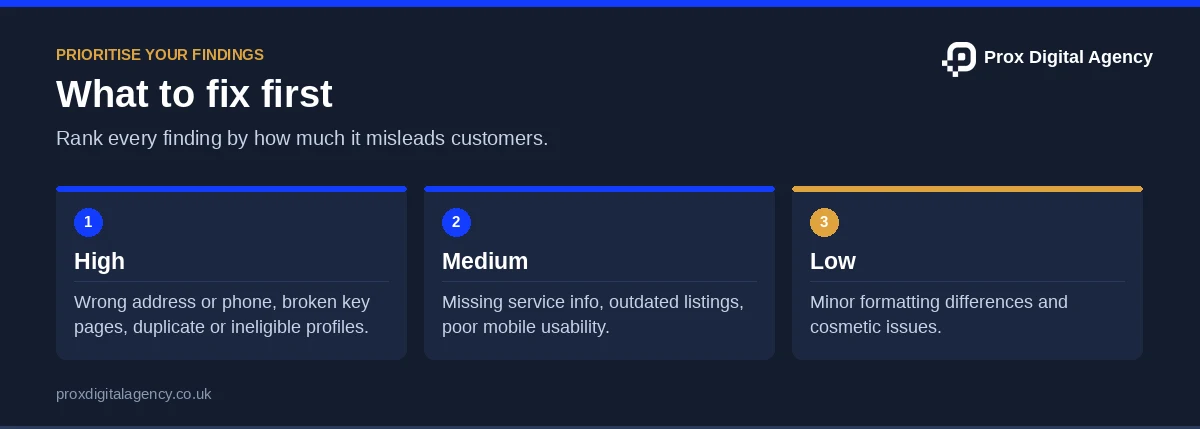
However, not every issue deserves immediate attention.
Then assign each task an owner, deadline, and completion status.
For larger businesses, separate quick corrections from projects requiring development or ongoing content work. If you would rather have specialists run the audit and the fixes, our local SEO consultants can take it from here.
Local SEO Audit Checklist
Use this checklist when reviewing your business’s local search presence.
- Verify Google Business Profile information and eligibility.
- Check local rankings across relevant geographic areas.
- Review important website titles and headings.
- Confirm service and location information is accurate.
- Identify duplicate or outdated business citations.
- Review customer feedback and review management practices.
- Test important pages on mobile devices.
- Check Core Web Vitals and major performance issues.
- Validate relevant LocalBusiness structured data.
- Review local backlinks and business mentions.
- Compare visibility with enquiries and other business outcomes.
- Prioritise findings according to impact and urgency.
A structured checklist makes it easier to repeat the audit and track whether identified problems have been addressed.
How Often Should You Perform a Local SEO Audit?
There isn’t a fixed audit frequency suitable for every business.
A small business with one location may find a comprehensive review every six months manageable, supported by routine checks of reviews, opening hours, and important contact information.
Businesses with multiple branches, frequent operational changes or significant visibility problems may need more regular reviews.
An additional audit can also be useful after a business relocation, website migration or substantial change in local search performance.
Ultimately, the appropriate schedule depends on your business’s complexity and available resources.
Local SEO Audit FAQs
How Do I Rank Higher on Google Maps?
Start by checking your business profile accuracy, relevant categories, website information, and customer reviews. Compare visibility across relevant locations and investigate specific weaknesses. Google also considers distance, which businesses cannot directly control.
Can Incorrect Citations Affect Local SEO?
Incorrect citations can create conflicting business information and make it harder for customers to find accurate details. Correct outdated addresses, telephone numbers, and duplicate listings, but don’t assume every minor inconsistency directly affects rankings.
Does Mobile Page Speed Affect Google Maps Rankings?
Google uses Core Web Vitals within its broader search ranking systems, but it doesn’t establish a specific Map Pack ranking improvement from faster mobile pages. Improving performance remains valuable for website usability and customer experience.
How Do I Check the Local Business Schema on WordPress?
Use Google’s Rich Results Test to check relevant pages. Review the markup generated by your WordPress theme or SEO plugin, confirm that business details are accurate, and resolve reported errors.
Can I Perform a Local SEO Audit Myself?
Yes. Many checks can be completed using Google Business Profile, Search Console, PageSpeed Insights, and manual listing reviews. More complex technical issues or multi-location audits may benefit from professional assistance.
Conclusion: Turning Local SEO Audit Findings Into Improvements
A local SEO audit is most valuable when it helps businesses make informed decisions rather than chase individual ranking fluctuations.
Some problems require straightforward corrections, while others involve wider improvements to website content, business reputation, or customer experience.
In the end, the important distinction is knowing which issues you can address and which factors, such as proximity, remain outside your direct control.
A useful audit gives your business a clearer basis for ongoing improvements, helping you focus resources on accurate information, relevant visibility, and meaningful customer enquiries.
Prox Digital Agency · Local SEO
Found problems you don’t have time to fix?
Our team turns audit findings into action: profile fixes, citation clean-up, schema, page improvements and tracking.

 Muhammad Bilal, London
 12 mins
How to Get More Google Reviews (and Handle Negative Ones) Without Hurting Your Rankings

Local SEO for Law Firms: How UK Solicitors Can Win More Local Enquiries

Local SEO for Dentists and Private Clinics: How to Win Patients Searching Nearby

Local Link Building: 12 Ways to Earn Links From Your Community, Press and Partners
Beyond Google: How to Set Up Apple Business Connect and Bing Places for Local Visibility
Local SEO for Service-Area Businesses: How to Rank Without a Shop or Office

The Complete Guide to Hiring a Web Development Agency in the UK (2027)
Local SEO for Multiple Locations: How to Rank Every Branch Without Duplicate Content