Beyond Google: How to Set Up Apple Business Connect and Bing Places for Local Visibility
Apple Business Connect and Bing Places for Business are free platforms that help businesses manage how they appear on Apple Maps, Bing Search, and Bing Maps. They also give customers more ways to find accurate business information beyond Google.
Google Business Profile remains an important part of local SEO, but relying on one platform can leave other customer discovery channels unmanaged.
For example, someone using Apple Maps may find your business through its place card, while another customer may search for the same service through Bing.
Both platforms let businesses manage key details such as their name, address, opening hours, and contact information.
This guide explains how to set up Apple Business Connect and Bing Places, keep your listings accurate, and understand their role in local search, AI assistants, and voice search in 2026.
Why Local SEO Needs Apple Business Connect and Bing, Not Just Google
Local SEO involves helping customers find accurate business information wherever they search, not just on Google.
While Google Search and Google Maps are widely used, Apple Maps and Bing provide additional ways for customers to discover nearby businesses.
For example, an iPhone user may search for a nearby restaurant through Apple Maps, while someone using Bing on a desktop computer may look for a local solicitor.
If your business information is outdated or incomplete on these platforms, potential customers may encounter incorrect opening hours, addresses, or contact details.
Reach Customers Across Different Platforms
After all, people use different devices, browsers and mapping applications.
Maintaining your listings across relevant platforms helps ensure that customers can access consistent information regardless of their preferred search service.
However, creating an additional listing doesn’t guarantee more website traffic or enquiries.
Instead, its value depends on how customers discover businesses in your market.
Maintain Accurate Business Information
Also, business details can change over time.
For example, a relocation, new telephone number or change in opening hours should be reflected across the platforms your customers use.
Managing your listings directly gives you greater control over the information submitted to those platforms, subject to their verification and publishing processes.
Support a Wider Local SEO Strategy
Apple Maps and Bing Places should complement your existing Google Business Profile and website rather than replace them.
If you’re developing your wider strategy, our complete guide to local SEO explains how local search visibility works.
What Is Apple Business Connect?
Apple Business Connect was Apple’s platform for managing business information and branding across services such as Apple Maps and Siri.
In April 2026, Apple replaced Business Connect with Apple Business, bringing its business management tools together in one platform.
As a result, the business listing features previously available through Apple Business Connect are now managed through Apple Business.
Businesses can use the platform to claim and manage eligible locations, update business details, and customise their Apple Maps place cards.
What Can You Manage Through Apple Business?
Available location management features include:
- Business name and location information
- Business categories and contact details
- Opening hours
- Brand logo and photographs
- Place card information
- Supported actions and promotional showcases
- Location performance insights
However, some features depend on the business, location, and eligibility.
In addition, the location information you provide can appear across relevant Apple services, including Maps and Siri.
How to Set Up Apple Business Connect (Now Apple Business) for Apple Maps
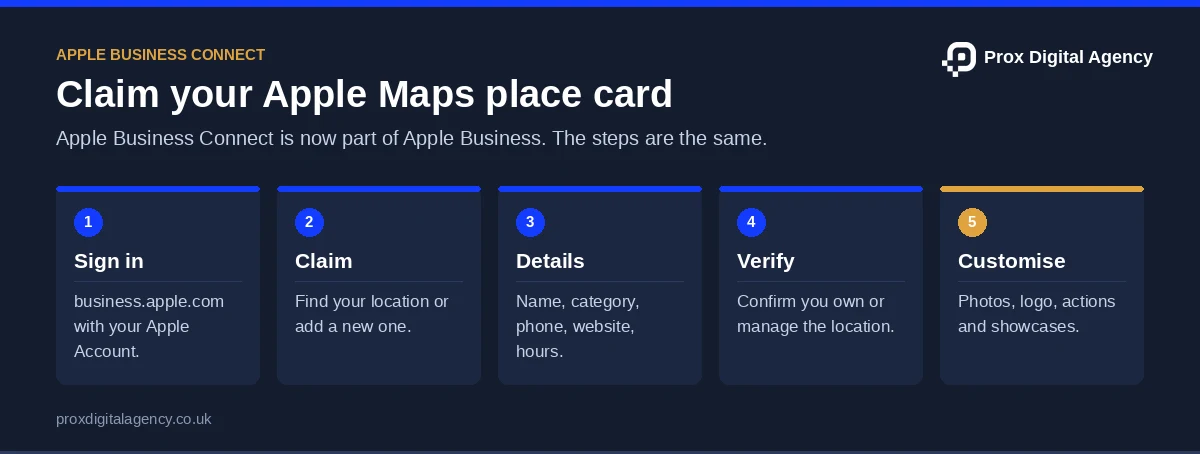
Setting up Apple Business involves registering your organisation, claiming or adding a location, verifying ownership, and completing your Apple Maps listing.
Step 1: Create Your Apple Business Account
Visit Apple Business, sign in with your Apple Account, and enter your organisation details. If you previously used Apple Business Connect, check your migrated information before creating new records.
Step 2: Add or Claim Your Location in Apple Business
Find and claim your existing location or add a new one. Verify the address and map position, and request a management transfer if another organisation controls the listing.
Step 3: Enter Accurate Business Information
Provide your business name, address, category, phone number, website, and opening hours. Choose categories that accurately represent your services.
Step 4: Verify Your Business With Apple
Complete the verification process shown in your Apple Business account. Apple may request additional information to confirm your organisation or location ownership.
Step 5: Customise Your Apple Business Place Card
Add genuine photographs, accurate opening hours and relevant branding. Where available, enable actions such as website visits, reservations or online shopping.
How to Optimise Your Apple Business Connect Listing
Creating a place card is the starting point. Its information should also remain useful and accurate.
Choose the Most Relevant Category
Select a category that reflects your primary business activity.
If your services change or Apple introduces more suitable categories, review your selection.
At the same time, avoid choosing unrelated categories simply to increase potential exposure.
Use Genuine Location Photographs
Add photographs that help customers recognise your premises, products or services.
For a café, this might include its entrance, seating area and food.
For a retailer, it could include the shopfront and relevant product displays.
In all cases, images should accurately represent the business.
Keep Opening Hours Updated
Review regular opening hours and update relevant exceptions when required.
This is particularly important for businesses operating on weekends, bank holidays or seasonal schedules.
Review Available Insights
Apple Business provides location insights that can help businesses understand interactions with their place cards.
For example, available information can include how people discover locations and interact with supported actions.
Then use this information to assess customer activity without assuming that every interaction results in a completed visit or purchase.
Not sure what Apple Maps and Bing show about you?
We will check your Apple Maps place card and Bing listing against your Google profile and list every mismatch, free.
What Is Bing Places for Business?
Bing Places for Business is Microsoft’s free business listing management platform.
In short, it allows eligible businesses to claim or create listings and manage information that may appear through Bing Search and Bing Maps.
Businesses can provide details such as their name, address, telephone number, website, opening hours, categories, and photographs.
Microsoft introduced an updated Bing Places experience in October 2025, moving its business management portal to the Bing website.
The current portal is available at Bing Places for Business.
Why Should UK Businesses Consider Bing Places?
Bing provides another channel through which customers may discover local businesses.
For example, someone searching for an accountancy practice in Liverpool through Bing may see local business information alongside other search results.
As a result, an accurate listing makes it easier for customers to identify your services and contact information.
However, an additional listing doesn’t guarantee higher rankings or enquiries.
Above all, its main purpose is to ensure your business is properly represented on a relevant discovery platform.
How to Set Up Bing Places for Business
Setting up Bing Places involves claiming or adding your business, entering accurate information, and completing verification.
Step 1: Check Whether Your Business Already Exists
Visit Bing Places for Business and search for your business. If a listing exists, claim it instead of creating a duplicate.
Step 2: Sign In and Claim or Add Your Listing
Sign in with a supported account and select your existing listing or create a new one. Eligible service-area businesses can also register without a public shopfront.
Step 3: Complete Your Business Details
Add your trading name, address, contact information, website, business categories, and opening hours. Ensure all details reflect your current operations.
Step 4: Verify Ownership
Complete verification using the available method, such as phone, email, or post. Follow the instructions provided within Bing Places.
Step 5: Review Your Published Listing
Once published, check your listing on Bing Search or Bing Maps. Confirm that your business details are accurate and correct any errors.
Can You Import Google Business Profile Information Into Bing Places?
Bing Places supports importing eligible business listings from Google Business Profile.
As a result, this can reduce the amount of information you need to enter manually.
Depending on the available integration, businesses may also be able to synchronise updates from Google.
However, importing information doesn’t remove the need to verify accuracy.
What to Check After Importing
Review the following details:
- Correct business name and location
- Telephone number and website
- Business categories
- Opening hours
- Existing or duplicate listings
- Verification and publishing status
For example, a business might have an older Bing listing and a newer Google Business Profile.
Importing the Google record without checking existing listings could create duplication or conflicting information.
If you use automatic synchronisation, understand which platform supplies the information and whether updates can overwrite manually edited details.
Apple Business Connect vs Bing Places: What’s the Difference?
Both platforms help businesses manage local information, but they operate within different search and discovery environments.
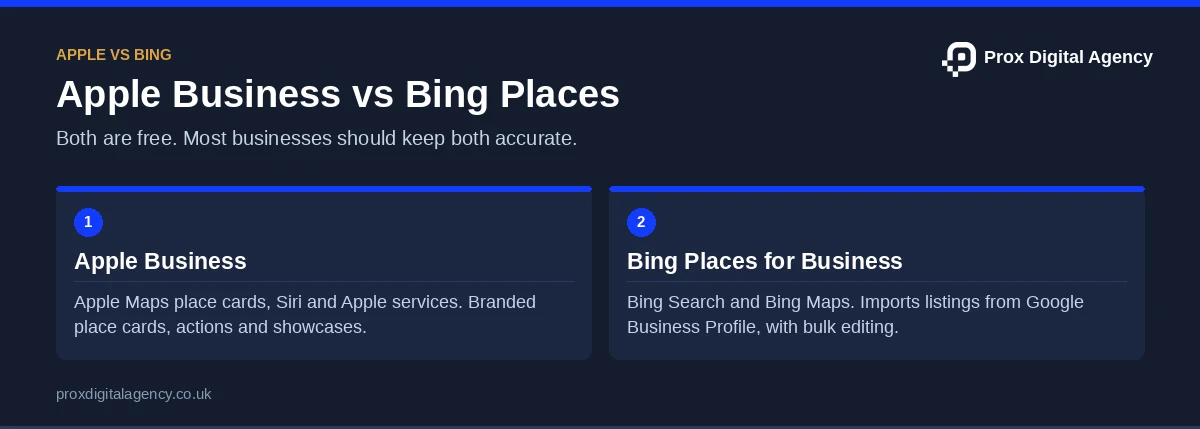
In other words, the platforms don’t need to be treated as competitors in your marketing strategy.
Businesses can maintain accurate listings on both when they are eligible, and the platforms are relevant to their customers.
Google Maps vs Apple Maps for Local Business Visibility
Google Maps and Apple Maps both help users discover businesses, check locations, and find directions.
However, businesses manage their profiles through separate systems.
However, a Google Business Profile doesn’t automatically give you full control over your Apple Maps listing.
Similarly, updating your Apple Business information doesn’t guarantee that Google or Bing will display the same changes.
Which Platform Should Your Business Prioritise?
Ultimately, prioritisation depends on your resources and customers.
In most cases, Google Business Profile remains a sensible starting point for businesses focusing on Google Search and Maps.
Apple Business and Bing Places are useful additions when you want your business details to be accurate across more discovery platforms.
For businesses with limited time, managing a small number of important listings well is preferable to creating many profiles that are never maintained.
How Do Apple Maps and Bing Places Relate to AI Assistants and Voice Search?
AI assistants and voice search help customers discover businesses through conversational queries, such as “Which restaurants near me are open tonight?” Accurate business listings provide useful location, service, and opening-hour information.
The Role of Business Listings in Voice Search
Apple Maps listings support business discovery through Siri, while Bing Places manages information for Bing Search and Maps. However, neither platform guarantees recommendations from voice assistants.
Do Business Listings Influence AI Search Results?
AI search systems may use business listings alongside other information sources. Maintaining accurate listings supports business discovery but doesn’t guarantee inclusion in ChatGPT, Copilot or other AI-generated responses.
Why Consistent Information Matters
Consistent addresses, contact details, and opening hours help prevent conflicting information across search platforms and AI-powered experiences.
For more guidance, read our guide to local citations and NAP consistency.
How to Maintain Apple Business Connect and Bing Places Listings
Business listing management should continue after verification.
After all, changes to business details can affect how customers find or contact your company.
A simple maintenance process can help:
- Review Important Details Regularly: Check your name, address, telephone number, website, and opening hours.
- Update Changes Promptly: Review affected listings after relocations, rebranding, or contact number changes.
- Check for Duplicates: Investigate older or unauthorised records before creating additional listings.
- Review Profile Interactions: Use available performance information to understand how customers engage with your listings.
- Assign Responsibility: Make sure someone in the business is responsible for keeping important profiles accurate.
For a small business, a quarterly review may be sufficient when information rarely changes.
Businesses operating multiple locations or frequently changing their hours may need a more active schedule. If you would rather not manage three platforms yourself, our local SEO services include setting up and maintaining Google, Apple and Bing listings together.
Common Mistakes to Avoid
Even so, several listing management mistakes can create unnecessary problems.
Ignoring Existing Listings: Creating new profiles without checking for existing records may produce duplicates.
Using Inaccurate Addresses: Business information should reflect genuine operations and comply with each platform’s eligibility requirements.
Assuming Google Updates Everything: Apple Business and Bing Places need their own management processes, even when integrations are available.
Using Irrelevant Business Categories: Categories should accurately describe the products or services provided.
Leaving Outdated Opening Hours: Incorrect schedules can cause inconvenience and unnecessary customer enquiries.
Expecting Guaranteed Rankings: Verified listings improve your ability to manage business information but do not guarantee a particular search position.
Frequently Asked Questions About Apple Business Connect and Bing Places
Is Apple Business Connect Still Available in 2026?
Apple Business Connect was replaced by Apple Business in April 2026.
Its location and brand management features are now available through Apple Business, and existing Business Connect information was migrated to the new platform.
Is Apple Business Free?
Yes. Apple Business provides free access to core business management features, including tools for managing eligible location listings and Apple Maps place cards.
However, some additional services or advertising products may have separate costs.
Is Bing Places for Business Free?
Yes. Bing Places for Business is a free service for eligible businesses to claim, create and manage listings on Bing.
Do I Need a Google Business Profile Before Using Apple or Bing?
No. Businesses can manage eligible listings through Apple Business or Bing Places independently.
However, Bing offers Google Business Profile import features that may simplify setup for businesses already using Google.
Can Apple Business and Bing Places Help My Local SEO?
Mainly, they help maintain accurate business information across additional local discovery platforms.
This can make it easier for customers to find the correct business details, although listing creation doesn’t guarantee higher rankings or additional enquiries.
Do Apple Maps and Bing Places Affect ChatGPT Recommendations?
There is no guarantee that adding a business to either platform will cause ChatGPT to recommend it.
AI systems may use multiple information sources, and their methods can vary.
Accurate listings remain useful for the services that display or use that business information.
Conclusion: Building a More Reliable Local Presence Beyond Google
Customers don’t all use the same search engine or mapping application, so business information shouldn’t depend entirely on one platform.
Apple Business and Bing Places provide additional ways to manage how your company appears when customers search for nearby services.
The value comes from maintaining accurate information and making it easier for people to find the correct business, rather than simply increasing the number of online listings.
A well-maintained local presence gives customers reliable information wherever they choose to search.
Prox Digital Agency · Local SEO
Want every map and assistant to show the right details?
We set up and maintain your Google, Apple and Bing listings so customers get accurate details wherever they search.

 Muhammad Bilal, London
 10 mins
Local Link Building: 12 Ways to Earn Links From Your Community, Press and Partners
Local SEO for Service-Area Businesses: How to Rank Without a Shop or Office

The Complete Guide to Hiring a Web Development Agency in the UK (2027)
Local SEO for Multiple Locations: How to Rank Every Branch Without Duplicate Content
Local Citations and NAP Consistency: How to Build, Audit and Clean Up Your Business Listings
Local SEO for Small Businesses: A Step-by-Step Plan for Your First 90 Days
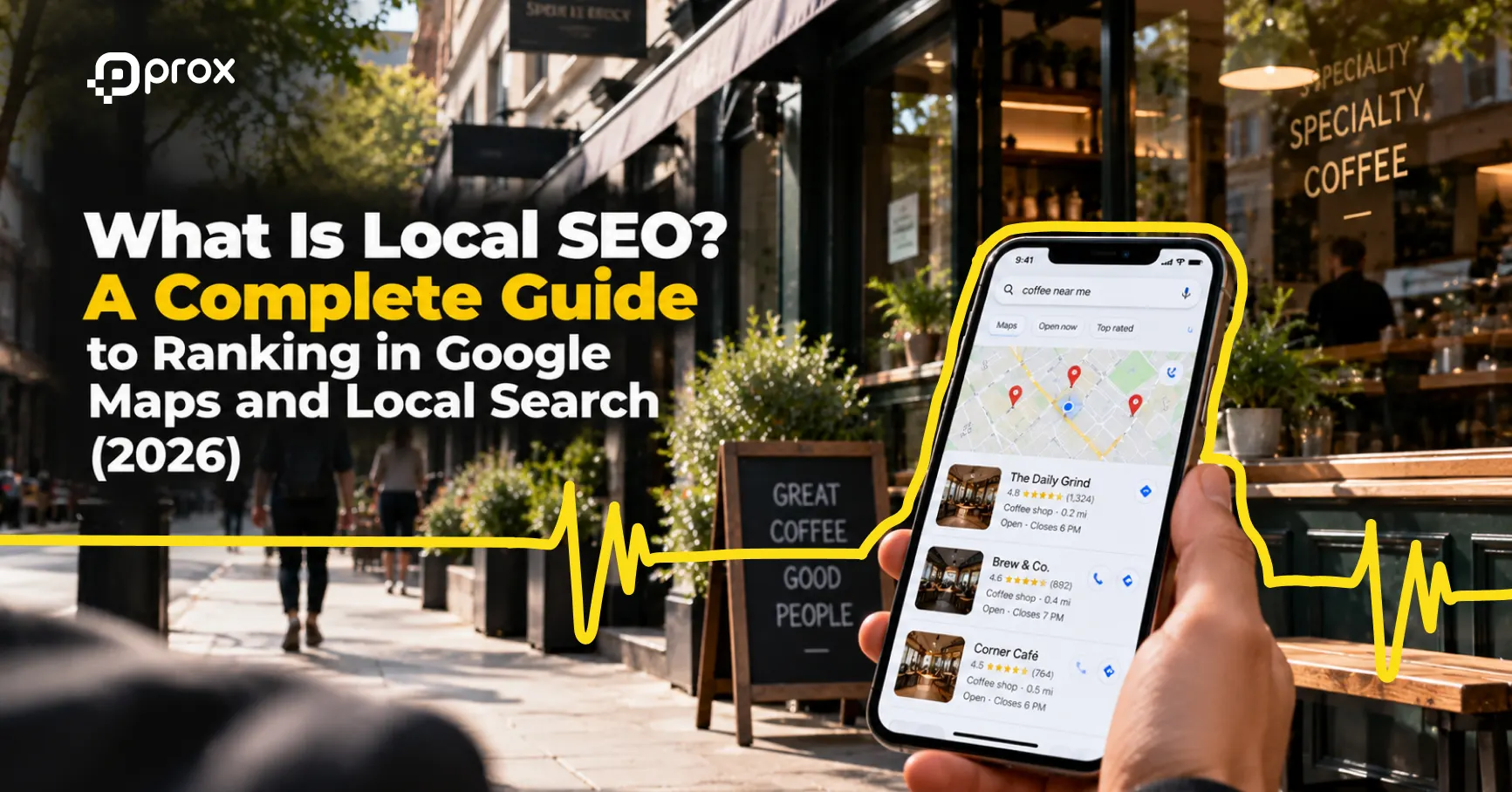
What Is Local SEO? A Complete Guide to Ranking in Google Maps and Local Search (2026)
 Fahad Khan, London
Prox Digital Agency Releases Free 2027 Website Checklist as Fewer Than Half of Mobile Sites Pass Google’s Speed Test