Content pruning sounds backwards, doesn’t it? You want more traffic. So the logical answer is to publish more pages, not to delete the ones you already have, right?
Well, not in 2026. That logic is now broken. The web is overcrowded with content, Google has become extremely selective, and your website is probably suffocating under the weight of its own digital clutter — old pages that do nothing but take up space.
Here at Prox Digital Agency, we often tell clients to stop writing for a month and start deleting instead. Why? Because most websites are unknowingly sabotaging themselves. They have several pages targeting the same keyword, and those pages steal rankings from one another. This is called keyword cannibalisation, and it is usually the first thing we uncover during a content pruning audit.
So let’s talk about why hitting delete might be the smartest SEO move you make this year.
What Keyword Cannibalisation Actually Is
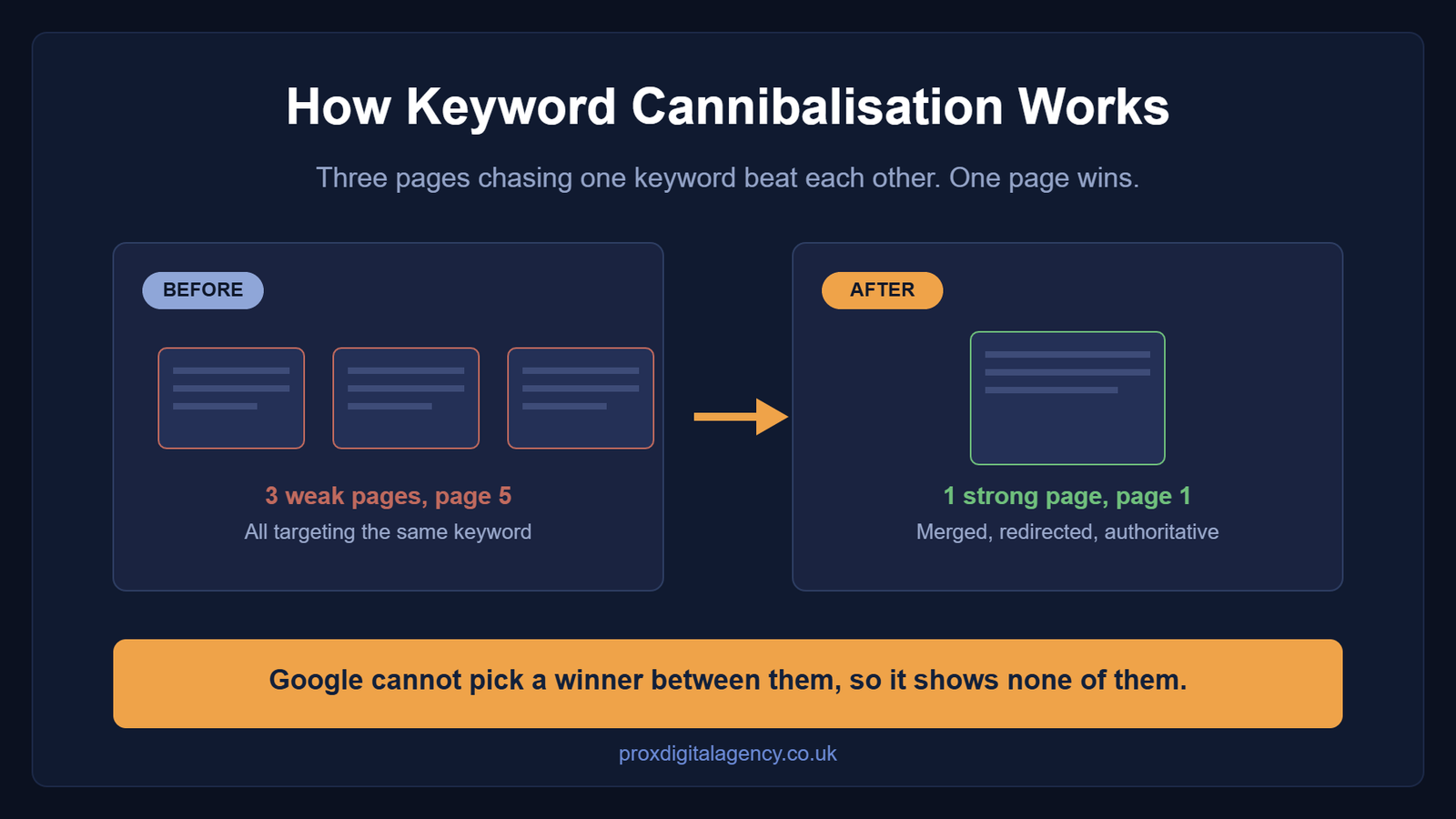
Keyword cannibalisation happens when multiple pages on your site compete for the same search query. Instead of one strong page ranking on page one, you have three weak pages fighting each other on page five.
As a result, Google gets confused. It does not know which page to show. So it shows none of them.
Here is a scenario we see all the time at Prox Digital Agency. You write a blog post about “Best SEO Tools” and it performs well. Six months later you forget about it and publish another post titled “Top SEO Software for 2026”. Some time after that, you write “SEO Tools We Recommend”.
Now you have three pages. They all target the same topic with similar keywords. That is the moment Google marks those pages as cannibalised — and that is exactly what content pruning is designed to clean up.

How to Spot Cannibalisation Before You Start Content Pruning
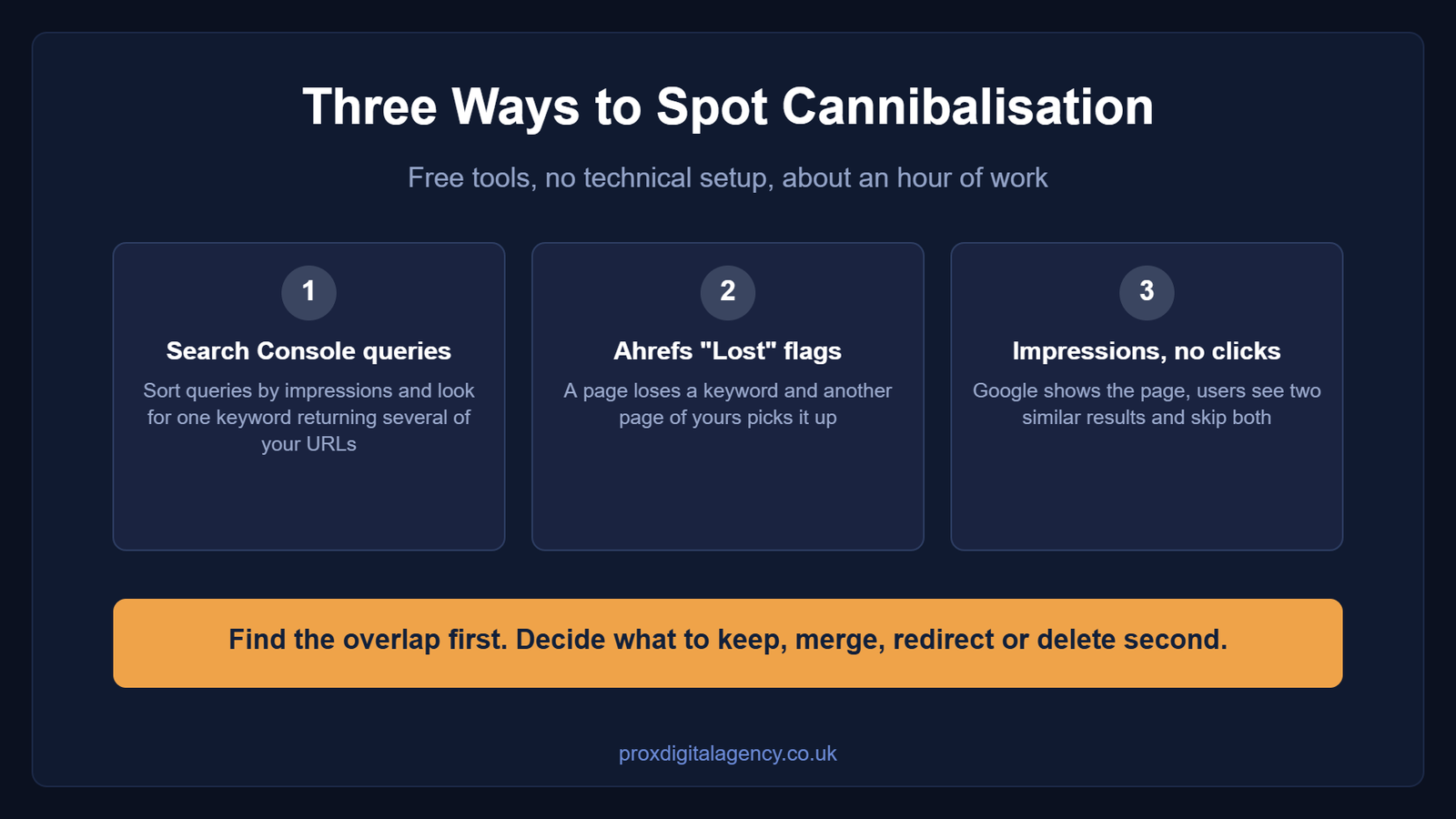
Spotting cannibalisation is not technical. You just need to know where to look. Below are three simple methods we use at Prox Digital Agency to uncover cannibalised pages for our clients.
Method 1: Search Console queries with multiple ranking URLs
Google Search Console is free. It is also the most reliable source of cannibalisation data.
Here is how you do it:
- Log in to Google Search Console.
- Go to the Performance report.
- Click Queries and sort by impressions.
- Look for keywords where your site appears more than once.
When you click a specific query, you will see the list of pages ranking for it. If three or four different URLs show up for the same keyword, you have found cannibalisation.
For example, you search for the keyword “content pruning” and the report shows both yoursite.com/content-pruning-guide and yoursite.com/how-to-prune-content. Two pages cannibalised for one keyword signals zero clarity. That is the problem. If the report itself looks broken, our guide to the 10 most common Google Search Console errors will get you back on track first.
Method 2: Ahrefs “Lost” flags
Ahrefs flags a page when it loses a keyword or drops in rankings. Consequently, it is a fast second opinion.
Here is what to look for:
- Open Ahrefs and go to Rank Tracker or Site Explorer.
- Look for pages marked with a Lost flag.
- Check whether another page on your site now ranks for that keyword.
This is a classic sign of cannibalisation. One page steals a keyword from another, and the result is a ranking drop for both.
Method 3: Pages with impressions and no clicks
In Google Search Console, look for pages with high impressions but low or zero clicks.
Why does this happen? A high impression count means Google is showing your page. Zero clicks mean nobody is choosing it. Usually that is because another page from your site is also ranking. Users see two similar results from the same domain, they get confused, and eventually they skip both.
The fix is straightforward. Find the page earning impressions but not clicks, identify the competing page, then merge or delete one of them. Afterwards, watch the click-through rate improve.
The Content Pruning Framework: Keep, Merge, Redirect or Delete
You have found the weak pages and spotted the cannibalisation. Now comes the decision.
At Prox Digital Agency we use a simple four-part framework to decide whether to keep, merge, redirect or delete a page. Every page on your site falls into one of these four buckets.
| Bucket | The signal | What you do |
|---|
| Keep | Backlinks, still relevant, ranking on page two or three | Update and refresh it |
| Merge | Two pages chasing the same keyword | Combine into the stronger page, then 301 |
| Redirect | Backlinks but no useful content | 301 to the closest relevant page |
| Delete | No traffic, no links, no relevance | Serve a 410 Gone |
Let us break down each one.
Keep: when the page still has value
Not every low-traffic page needs to die. Instead, ask yourself these questions:
- Does this page have backlinks from other websites?
- Is the topic still relevant to your business?
- Does it rank on page two or three for a valuable keyword?
- Is the content accurate but simply outdated?
If the answer is yes, keep the page and update it with new examples, a fresh introduction and current information.
Merge: when two pages are fighting each other
This is the direct solution to cannibalisation. When two or more pages target the same keyword, you do not need both.
Check whether:
- Two pages cover the same topic.
- They both rank for similar keywords.
- One page is clearly better than the other.
- You could combine the best parts of both into one.
Then merge them. Pick the strongest page — this is your winner. Take the best content from the weaker page and add it to the winner so it becomes genuinely comprehensive. Finally, redirect the weaker URL to the winner.
Redirect: when a page has links but no value
You cannot simply delete pages with plenty of backlinks, because that wastes all of the link equity.
Check whether:
- The page has backlinks.
- There is a relevant page on your site to send users to.
- The current content has no value of its own.
If so, redirect it with a 301. This tells Google the page has permanently moved, and the authority flows to the new URL. Always redirect pages with backlinks. Never waste authority.
Delete: when the page has no value and no links
Some pages are dead weight. They have no traffic, no backlinks, no relevance and no future value.
So if you are asking “should I delete old blog posts?”, the answer depends on the data. Check the following before you delete:
- Has this page earned zero clicks in the last 12 months?
- Does it have zero backlinks?
- Is it irrelevant to your business?
If yes, remove the page and serve a 410 Gone status code. This tells Google the page is intentionally gone forever, and it drops out of the index faster than it would with a 404.
How to Merge Two Posts Without Losing Rankings
Merging turns two weak pages into one stronger page. However, if you do it wrong you can lose the rankings and visibility you already had. Here is the safer way.
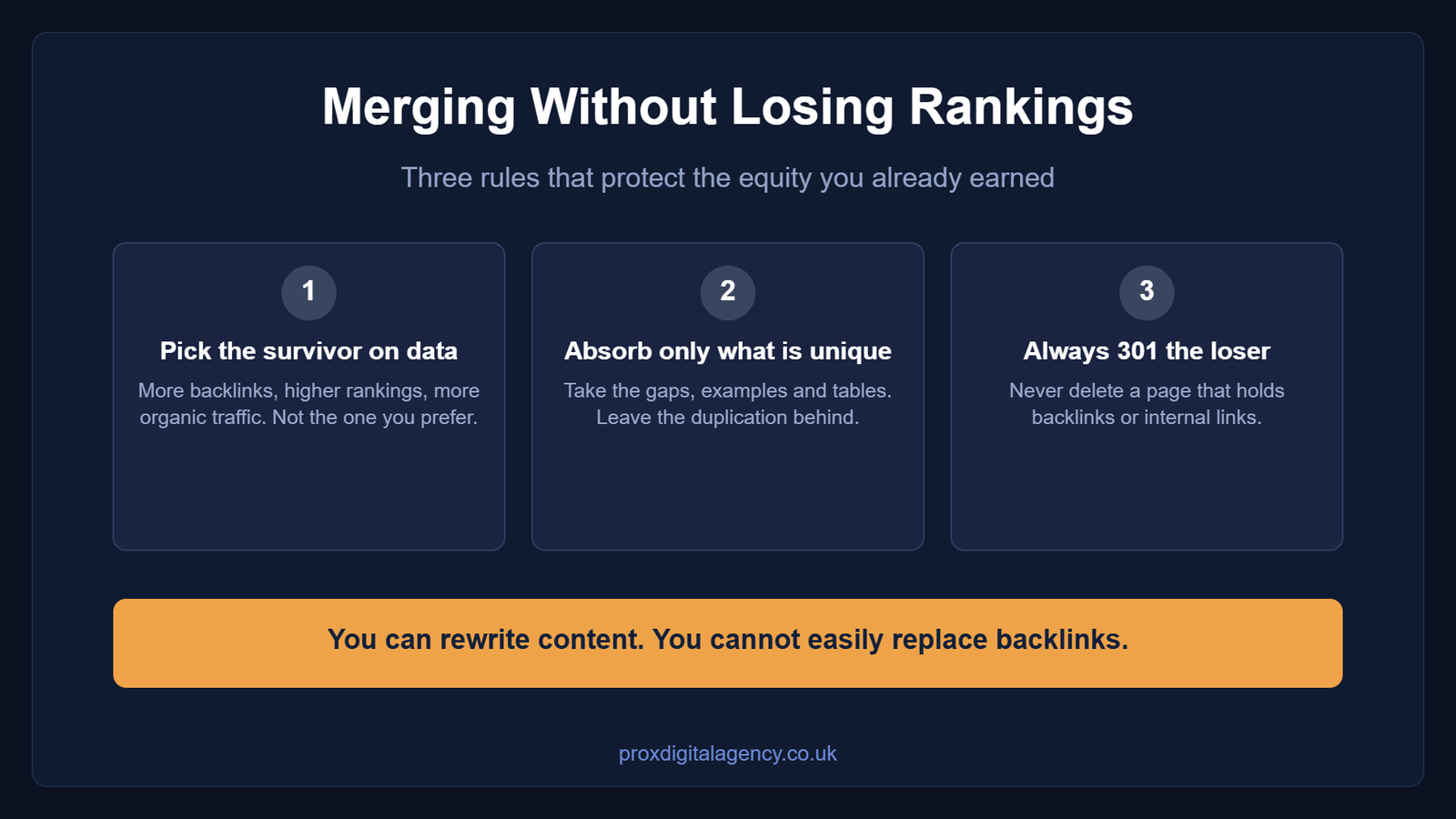
Pick the survivor on data, not preference
This is where you trust the numbers rather than your gut. You might prefer the writing style of one page, but if the other has more backlinks and better rankings, that one wins.
Compare which page has more backlinks, ranks higher and earns more organic traffic. The page with the strongest authority survives, because you can fix content but you cannot easily replace backlinks.
Absorb only what is not duplicated
Do not copy everything across from the losing page, because that simply bloats the survivor. Look for unique value only.
Take the content gaps, the better examples, the extra sections, tables or images, and leave the rest behind. Merge value, not duplication.
Never delete without a 301 redirect
Never delete the losing page without a redirect. Why? Because that page still holds value in backlinks and internal links. Delete it outright and all of that disappears.
Instead, set up a 301 redirect from the losing URL to the survivor. This signals to Google that the page has permanently moved, link equity flows to the new page, and users land on the right content.
If you need a full walkthrough on handling site-wide changes, our SEO website migration checklist covers this in detail. And if you want to rebuild the entire website rather than a handful of pages, our guide to a complete website redesign without losing SEO equity walks you through protecting your rankings step by step.
Prox’s Content Pruning Case Study: The August Consolidation
As a digital marketing agency, Prox holds itself to the same standards we set for our clients. Therefore, we audit and prune our own content regularly.
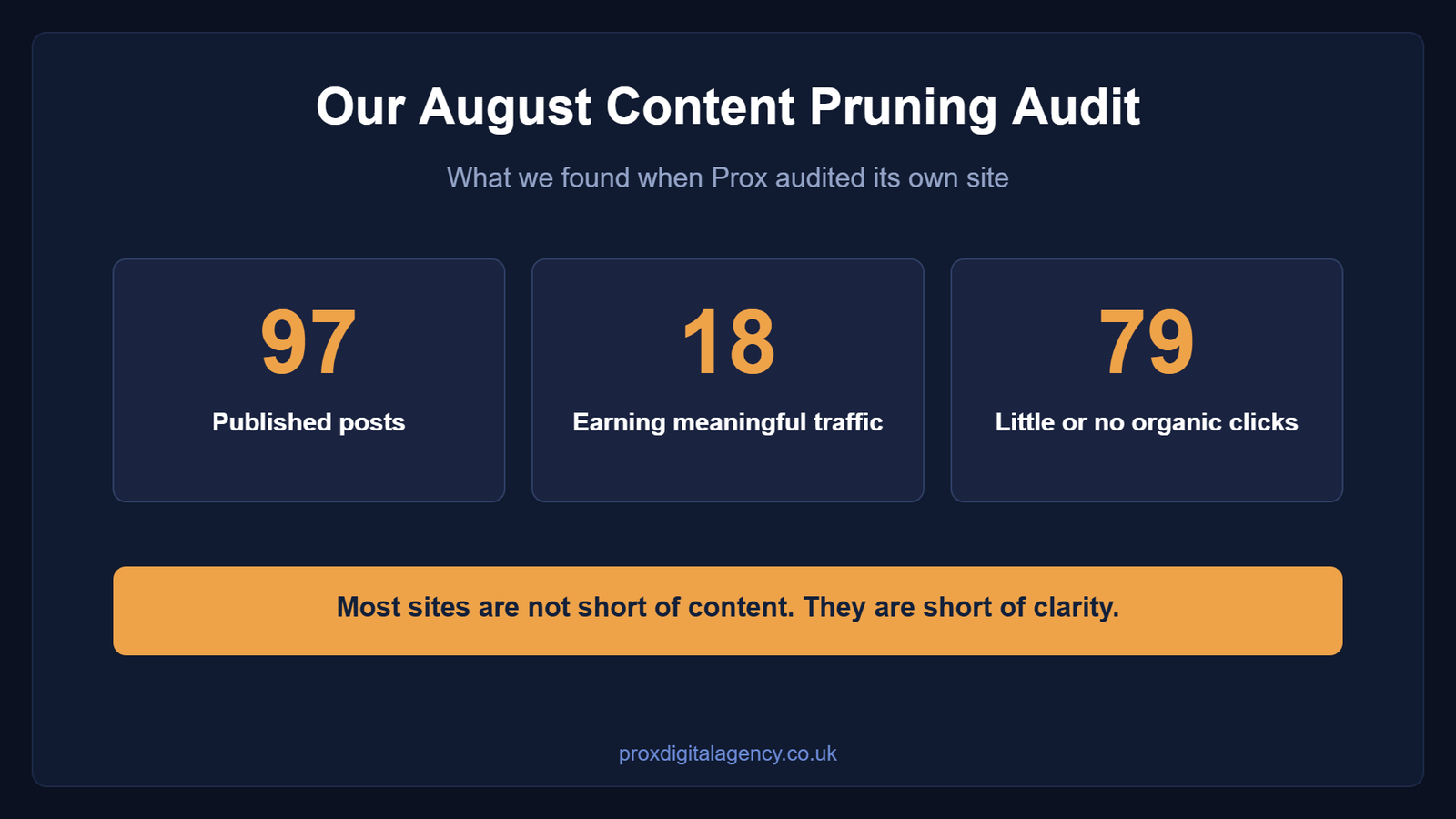
In August 2026 we audited our own site, and the results highlighted clear opportunities for consolidation. This is what the data showed:
- 97 published posts.
- Only 18 were earning meaningful traffic.
- The remaining 79 generated little to no organic clicks.
- One service page was absorbing a large share of site impressions while converting at close to zero.
- Several posts were flagged as “Lost” by Ahrefs yet still showed thousands of impressions in Search Console.
- Multiple content clusters were competing for the same keywords.
The rest were quietly bleeding authority.
Throughout August we merged those clusters into single authoritative pages, covering web design, MVP timelines, digital transformation and our GEO service pages. Each cluster followed the same framework we have outlined in this guide. We picked the survivor on data, absorbed only unique content and set up 301 redirects from every losing URL. The outcome was a streamlined site with a clearer structure and no overlapping content.
We will publish the before-and-after results of this content pruning once a full quarter of data is available. In the meantime, our playbook on what an SEO agency actually does explains how our team approaches an audit like this.
What’s Next After Content Pruning?
Once you have removed the dead weight, you need to strengthen what remains. Here is what to do next.
- Fix internal links. After pruning, re-point every link that used to sit on a deleted URL. Our 60-minute technical SEO audit shows you how to find them quickly.
- Submit a fresh sitemap. This helps Google discover your new structure faster.
- Monitor the impact. Watch rankings, clicks and crawl stats over the following weeks.
- Commit to the process. Ongoing pruning beats an occasional cleanup.
- Repeat every 6 to 12 months. Otherwise the clutter simply builds up again.
Results are rarely instant, so it helps to know how long SEO takes to work before you judge the outcome.
Ready to Prune? Prox Digital Agency Is Here to Help
Now you understand the framework. Thin content steals authority from your best pages, and content pruning removes it.
Deleting work feels counterintuitive. In modern SEO, however, removing low-quality content leads to growth. It reduces index bloat and improves your crawl budget, which lifts overall site authority.
So if your traffic has gone flat, stop publishing and start auditing. Prox Digital Agency specialises in technical content audits and content strategy, and our SEO service helps you decide which pages to save, merge or remove.
Partner with Prox Digital Agency today. Let’s clean up your site and get you the traffic you deserve.
Content Pruning FAQs
Is content pruning safe for small sites?
Yes. Even small sites suffer from index bloat. If 30 of your 50 pages are thin or outdated, Google sees a low-quality site. Prune the weak pages and focus on the strong ones. Just check for backlinks before you delete anything.
How long does content pruning take to show results?
Content pruning usually takes 4 to 8 weeks to show results. Google has to recrawl your sitemap and process the 410s or 301s before you see the change, although crawlability improves almost immediately.
Should I update old dates on posts instead of deleting them?
Sometimes. If the content is still accurate and relevant, refreshing it and updating the date is a sound strategy, often called historical content optimisation. But if the core content is wrong or irrelevant, a new date will not help. You need to rewrite it or remove it.
Is a 404 error or a 410 error better for pruning?
For pruning purposes, 410 is better. It tells Google the page is intentionally gone and removes it from the index faster. A 404 leaves Google guessing, so it may keep crawling the page for months.
Can content pruning fix a Google penalty?
It helps with algorithmic issues such as the Helpful Content Update. For a manual penalty related to spammy links, however, you still need to remove the toxic backlinks and request a review. Pruning alone is not enough.


 US
US UK
UK +44 (7) 43 8304 605