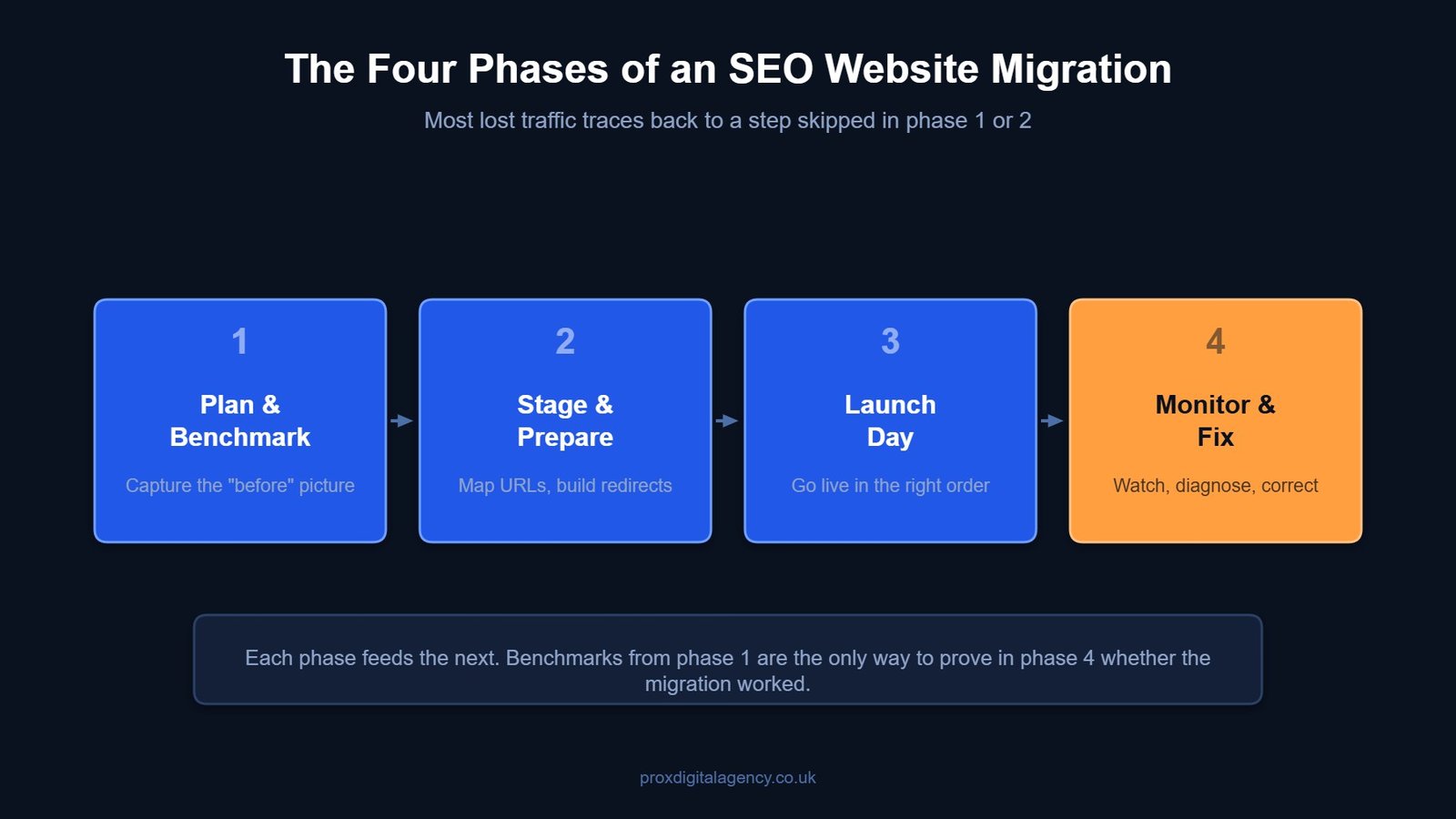
Now, picture this. You opted for a full SEO website migration, changed your domain name, added new features, and redesigned your site architecture – all without costing your rankings or traffic. Yes! That’s exactly what we all want. This guide is for anyone looking for a practical SEO migration checklist to minimise the risk of costly mistakes.
This guide walks you through every step, so your move is smooth, and your search visibility stays intact. If you want the wider context first, start with our guide to what search engine optimisation actually involves.
SEO Website Migration
A process of changing a website’s URL structure, domain, or switching its CMS without interrupting organic search traffic or Google rankings is SEO website migration. Done badly, these changes can seriously disrupt crawlability, indexing and how search engines understand your new structure — which is exactly why the process needs managing step by step.
Every successful migration starts with a complete SEO website migration checklist to reduce risks and protect organic visibility.

Phase 1: Pre-Migration Planning & Benchmarking
Rushing pre-migration benchmarking will only lead to tanking your website’s ranking. First plan and then implement strategies.
Set Clear Migration Goals
Understand the end goal. Aim for what you want to achieve. Whether it’s 95% of your current organic traffic or site speed improvement? Write down every tiny KPI, as you will measure your results against them later.
Carry Out a Risk Assessment
Not all migrations are equal. Moving from HTTP to HTTPS is a different challenge from merging two sites. List every potential risk, from broken backlinks to Google Business Profile mismatches. So there are no unexpected errors.
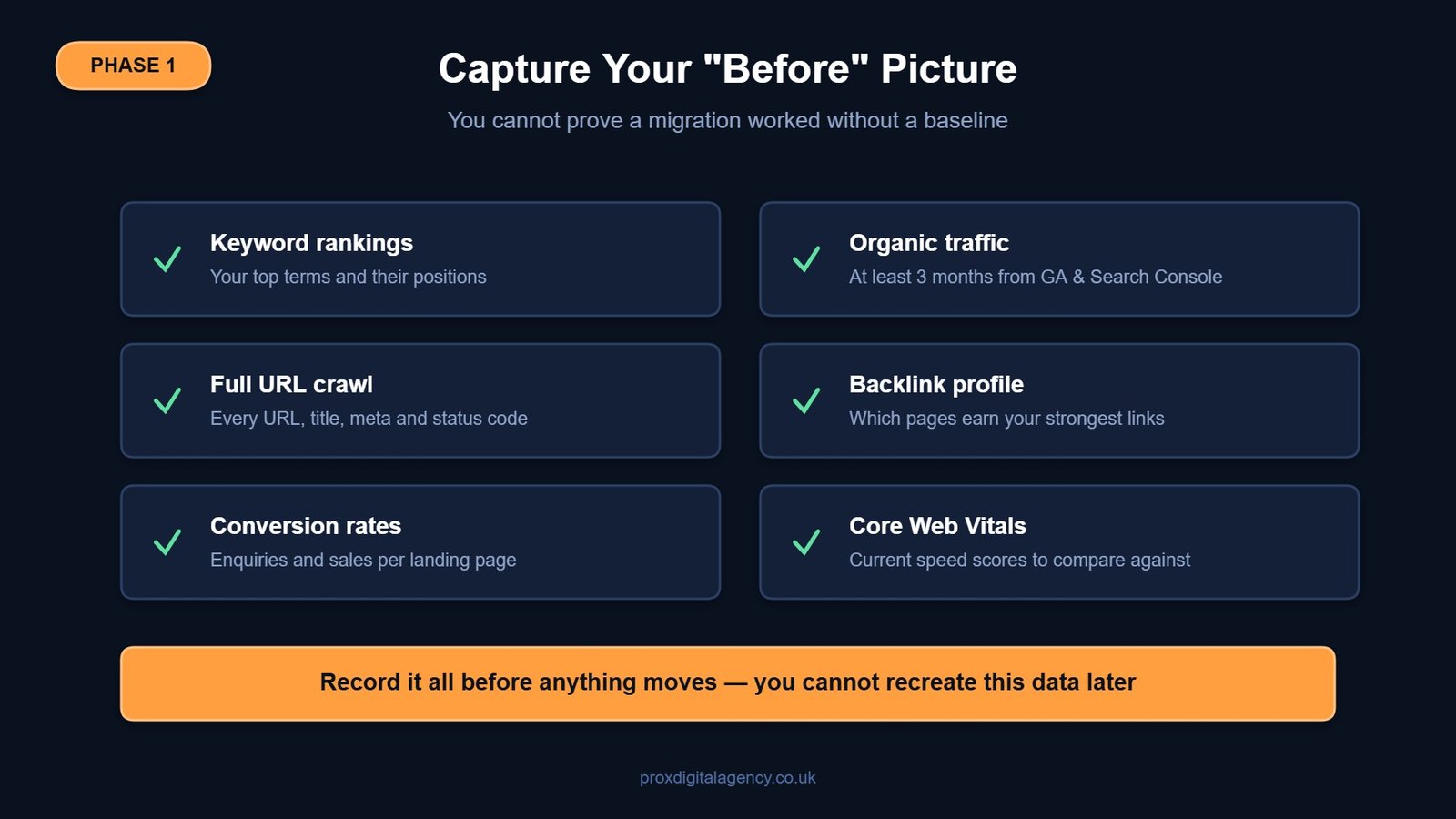
Benchmark Your Current Performance
Analyse and monitor keyword rankings, organic traffic, and conversion rates of your site. Use Google Search Console and Google Analytics to gather numbers for at least the last three months. Call this phase your “before SEO website migration” picture.
Crawl Your Entire Web
Crawl every single URL on your current website. Record all page titles, descriptions, meta descriptions and status codes. You can’t build a proper site migration seo checklist without knowing exactly what exists today.
Audit Your Backlinks
Pull your external backlink profile. Identify the pages with the most valuable links pointing to them. Mark them as priority pages and must be redirected with pinpoint accuracy later.
Team Planning and Responsibilities
Website migration is not a single person’s job; it’s a collaborative effort. Segregate the operation team to handle DNS changes, test the staging site, and monitor performance after launch. Leave no room for finger-pointing, and you’ll see a smooth SEO migration strategy implemented from day one.
Phase 2: Staging & Content Preparation
Always build and test your new website in a staging environment. Avoid making changes directly to the live site.
Create a Secure Staging Environment
Configure a staging server. Either use IP restrictions or password-protect it, so it doesn’t get indexed by search engines. There is nothing worse than Google finding duplicate pages on your site.
Map Every URL and Prepare 301 Redirects
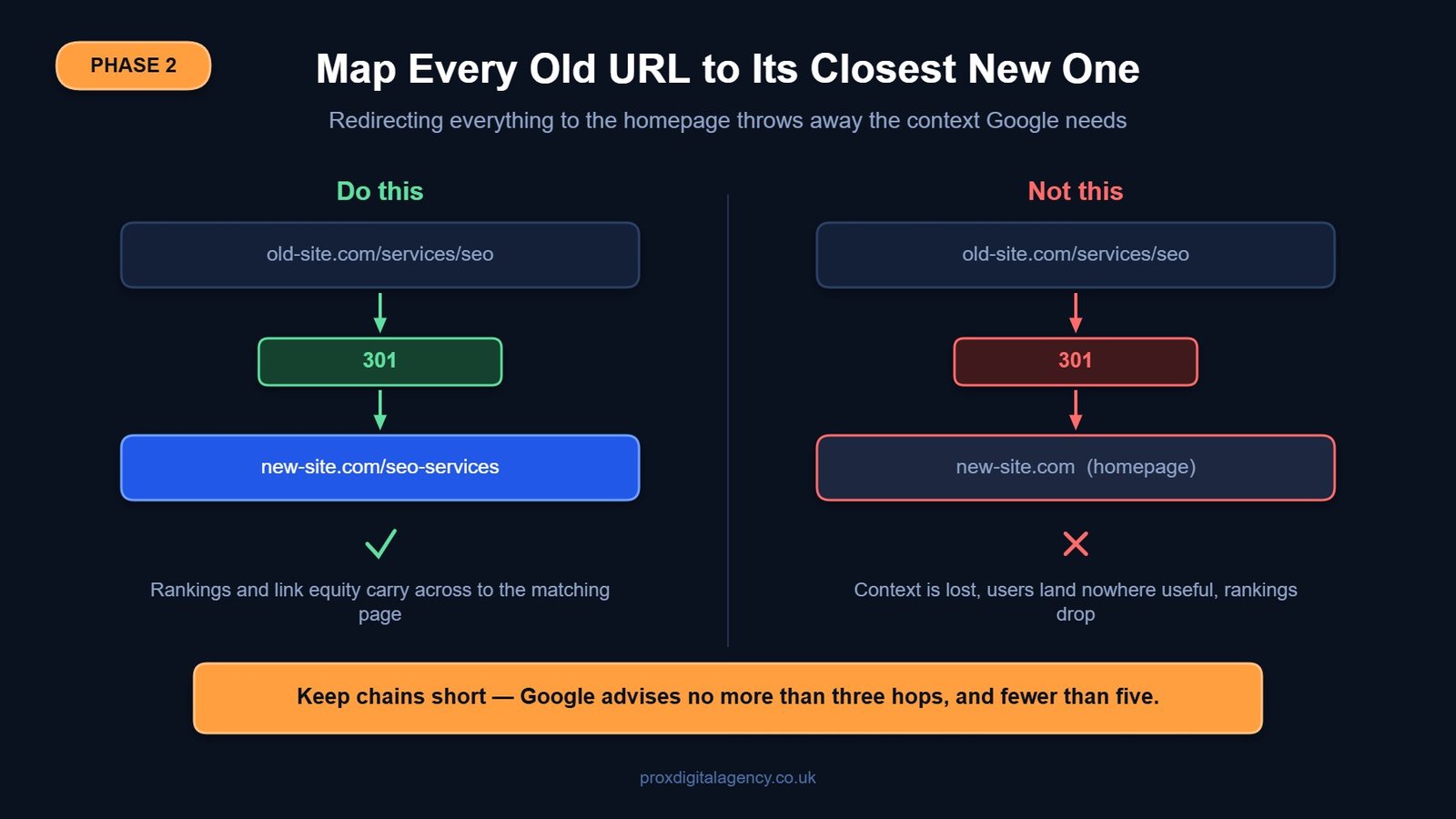
Keep track of every old URL and write the new equivalent one beside it. Make two columns on a spreadsheet to begin mapping. Aim for one-to-one redirects. Never leave everything to the homepage. A clear redirect map helps protect your rankings and user experience.
Update All Internal Links
Do not make visitors or bots bounce through multiple redirects. Replace old internal links in your navigation, content, and footer directly with the new URLs. It’s time-consuming, but it keeps your web loading speed fast and SEO-clean. Point every redirect straight at its final destination rather than through a chain: Google advises keeping chains to no more than three hops, and fewer than five.
Migrate Your Structured Data
Ensure your schema markup for your business, products, and FAQs is migrated. Check that your LocalBusiness schema still shows the right name, address, and phone number. Broken structured data can harm your results.
Run a Pre-Launch Technical SEO Audit
At this stage, your pre-launch site is ready for a technical SEO audit. Crawl it, check preferred page URLs, test page speed, and ensure that no ‘no-index’ tags are accidentally redirecting any important pages. Fix any errors you find, since you’re still on safe ground.
Phase 3: Launch Day Execution
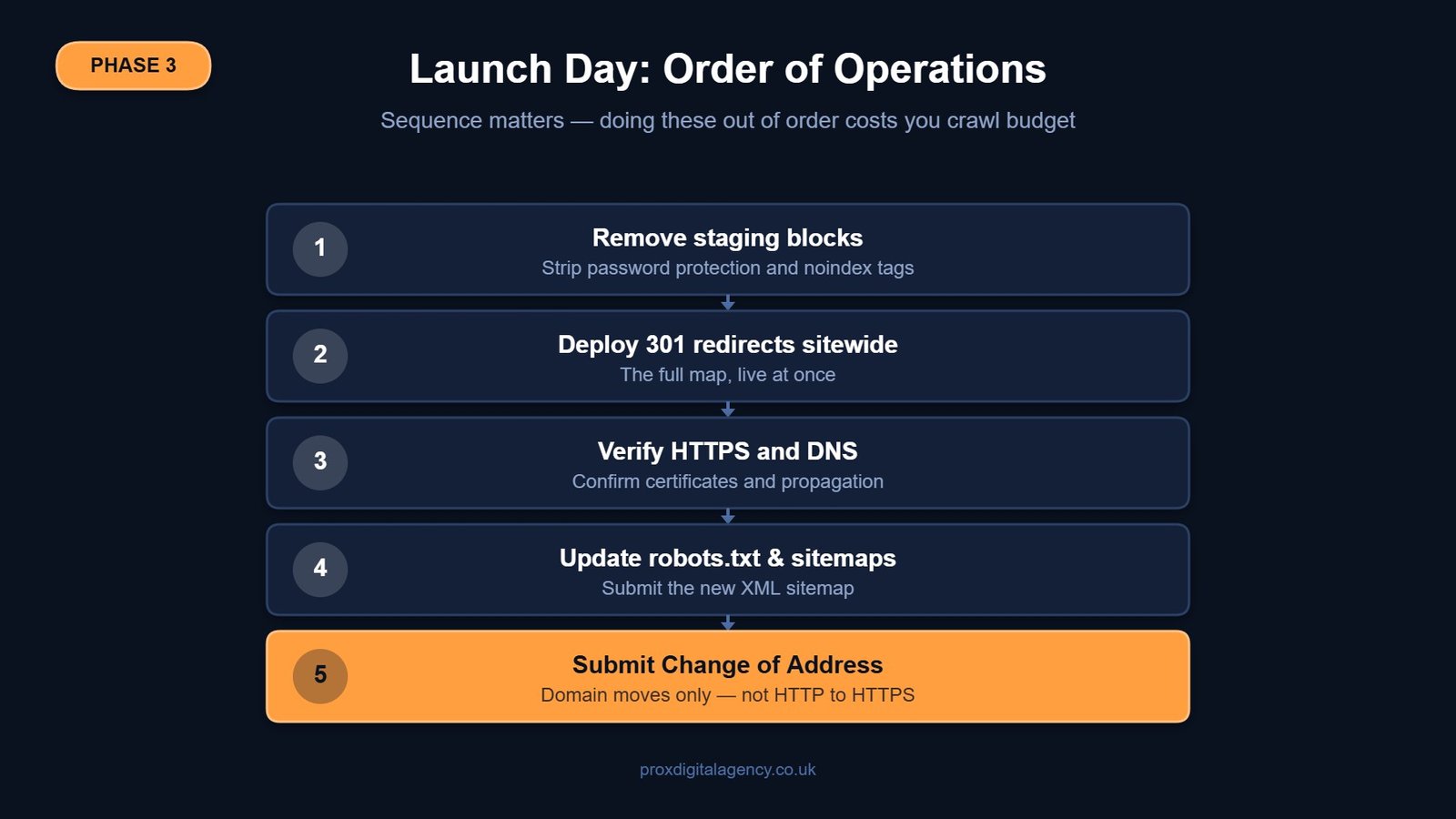
You’ve made it to the launch day, congrats! Now double-check everything and follow these steps.
Remove Staging Block
It’s time to remove any limitations you added during the staging phase of SEO migration checklist – any password protection to avoid indexing and any noindex tags. Make your new website fully crawlable.
Deploy 301 Redirects Sitewide
Activate your full redirect map in one go. Test a sample of old URLs to make sure they land on the correct new pages.
Verify HTTPS and DNS
This is the critical time when your SSL certificate must be installed and working perfectly. Make sure your DNS is pointing to the new server. DNS misconfiguration can lead you to zero traffic, so verify it twice.
Update Robots.txt and XML Sitemaps
Check your live robots.txt file. It must not block anything important. Submit a new XML sitemap containing your new URLs to Google Search Console.
Submit a Change of Address
This step if for those who changed their domain in the process. Use Google Search Console’s Change of Address tool and signal to Google that your site has permanently moved. This helps in SEO website migration fast.
Phase 4: Post-Migration Monitoring
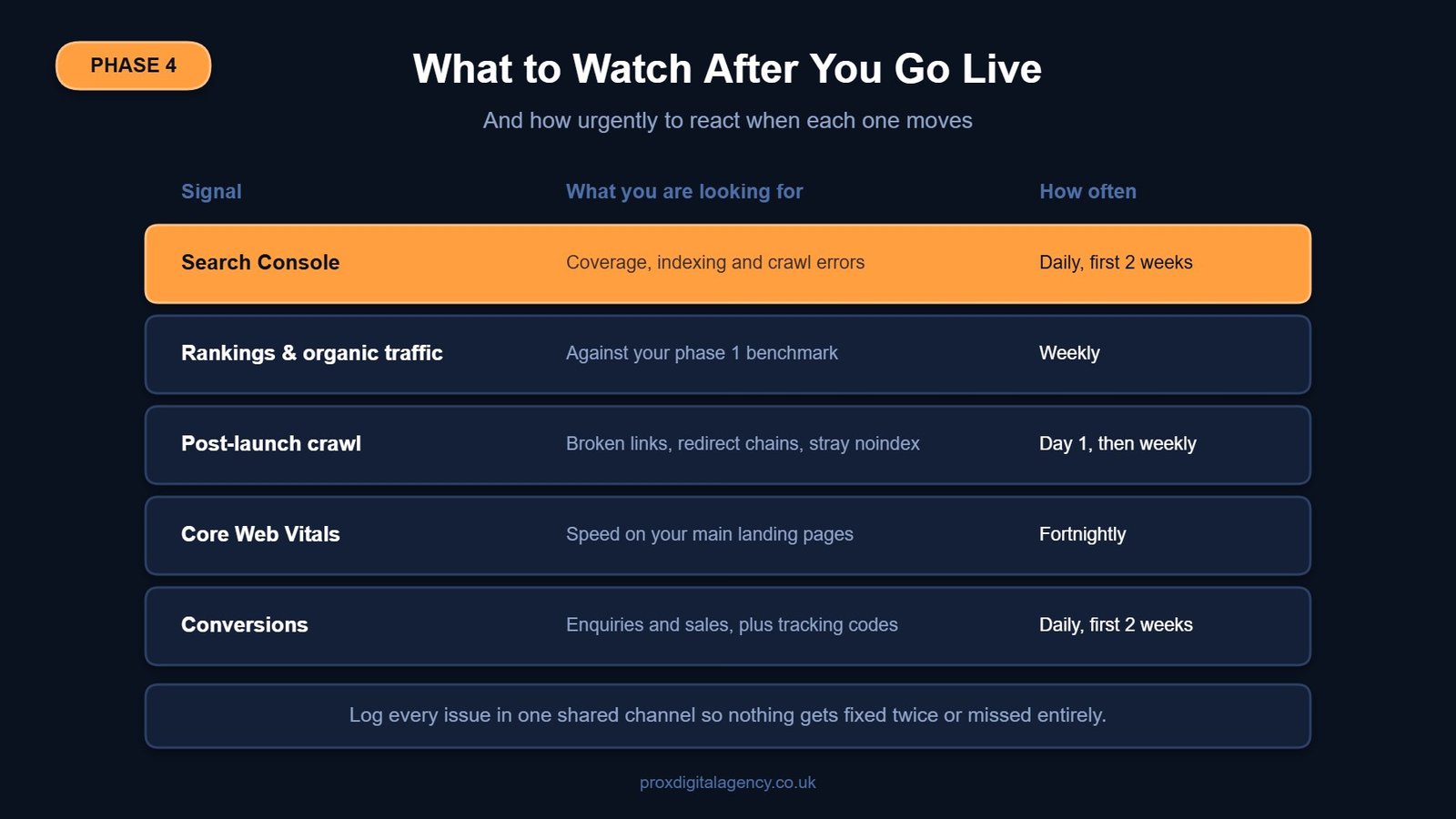
Here comes the most important phase of this SEO site migration guide – post-migration monitoring. The following steps will help you track results and monitor your website’s performance after launch.
Keep a Close Eye on Google Search Console
Check if there are any spikes in 404 pages, coverage issues or crawl errors. Do not ignore mobile usability reports.
Track Rankings and Organic Traffic
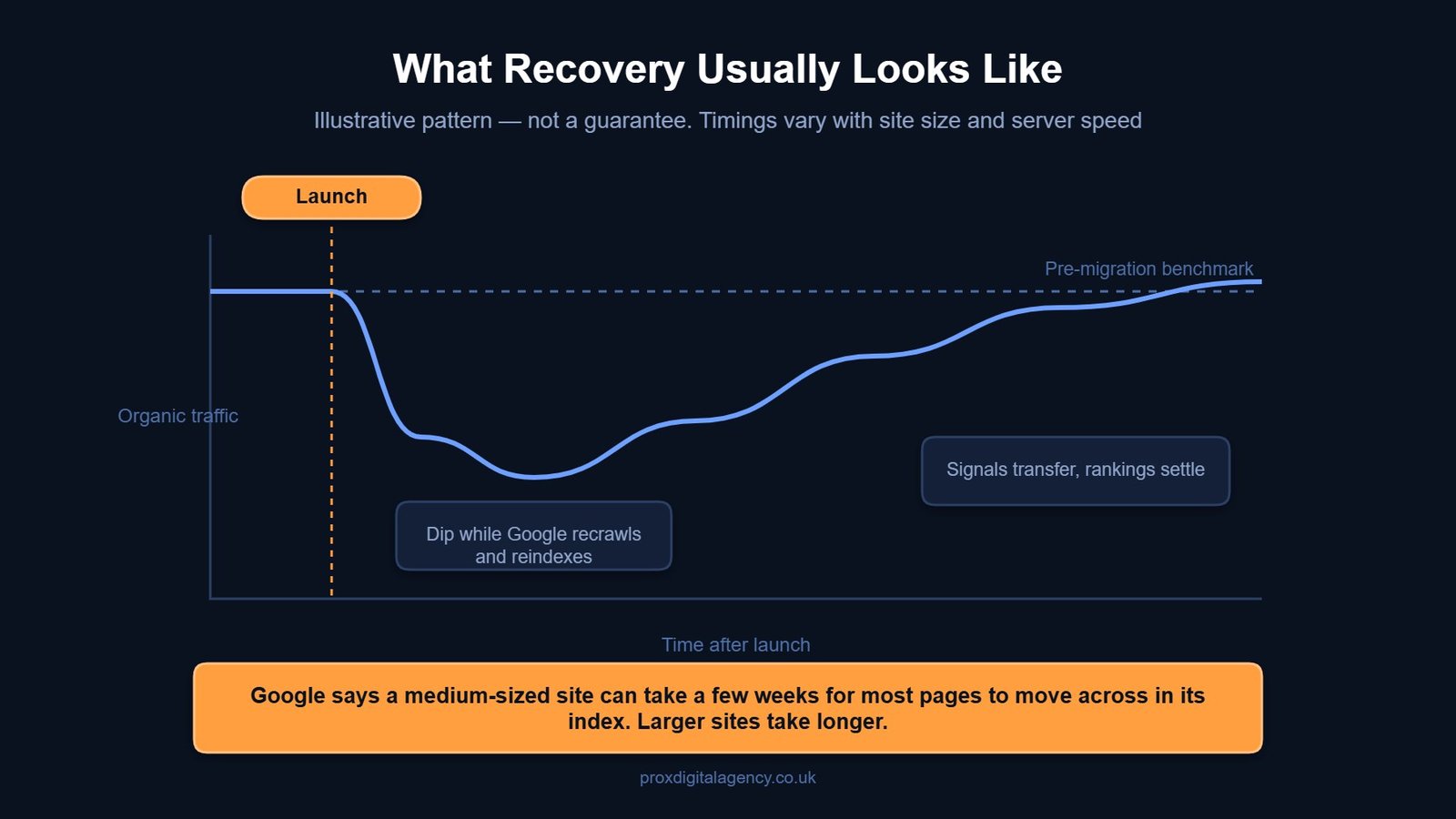
Remember the benchmarks you set in the pre-migration phase? Take those benchmarks and compare your post-launch results against them. A small fluctuation in the first few days is completely normal. Check carefully if the drop in data persists.
Do a Post-Launch Crawl
Running the crawler again at this point helps scan the overall live website. It can detect broken links, accidentally blocked pages and any redirect chains.
Check Core Web Vitals
Page speed and visual stability matter more than ever. You can use PageSpeed Insights or Lighthouse to test your main landing pages and identify any speed issues. Fix them immediately. Our breakdown of how Core Web Vitals affect rankings explains which numbers actually matter.
Troubleshoot Issues Quickly
Create a shared channel for logging and resolving bugs. If conversions drop, re-check your analytics tracking codes. Analyse the redirects and content of pages that show a decline in rankings.
And use this Prox SEO migration guide as your go-to checklist until your migration is complete and your web traffic stabilises.
A Smarter Way to Handle Your Next SEO Website Migration
An SEO migration checklist only works when you execute it smartly. And the best part? You don’t have to worry about this tricky execution as long as Prox’s expert SEO migration team is here for you.
Our SEO team in London has helped UK local businesses move their websites without losing the rankings they rely on for enquiries and sales. Whether you’re switching domains or revamping your entire business website, we will build you a bespoke seo migration strategy, handle the technical heavy lifting, and monitor performance until your migration is fully complete.
So, don’t leave your organic visibility to chance. Get in touch with our team today.
FAQs About SEO Website Migration
How soon will SEO recover after an SEO website migration?
Expect fluctuation rather than an instant return. Google’s guidance is that a medium-sized site can take a few weeks for most pages to move across in its index, and that larger sites can take longer — the speed depends on how many URLs you have and how fast your server responds. Treat a few weeks of movement as normal. If traffic is still well below your benchmark after that, audit redirects, indexation and internal links before assuming the migration itself failed.
What are the common mistakes people make in a site migration?
The two common mistakes in an SEO site migration are
- Forgetting to map every single old URL to a relevant new one.
- Redirecting everything to the homepage loses the context Google needs and frustrates users.
A proper website migration seo checklist always includes a detailed redirect map.
Should I update Google Business Profile when I move my site?
Yes, updating GBP is important. However, it should only be done once the website is live and verified. Update the website’s URL, name, address, and contact details and verify them at every platform.
Can SEO migration require an agency partner?
Not really. However, for domain changes or complex restructures, partnering with the right agency, like Prox Digital, can help you avoid traffic loss and other serious drawbacks.
How to know if my 301 redirects are working correctly?
You can check your 301 redirects using a crawling tool and test a large batch of old URLs with it. Also, monitor the “Indexing” section in Google Search Console for any errors in redirects.
How long should I keep my 301 redirects in place?
Google advises keeping them for at least a year. That window gives its systems time to transfer signals to the new URLs, including recrawling and reassigning links that other sites still point at your old addresses. From a user’s point of view there is a good argument for keeping them indefinitely, so only remove them if you have a concrete reason to.
Do I need the Change of Address tool for every migration?
No. It applies to domain moves, not to every change. If you are moving from HTTP to HTTPS you do not need it. If you are moving to a different domain you do, and you should submit requests for all subdomains plus the www and non-www variants of the old domain, even ones you were not actively using — each needs to be verified in Search Console first.


 US
US UK
UK +44 (7) 43 8304 605