Prox Digital Agency has walked hundreds of business owners through this exact journey. This Shopify website design guide breaks the process into clear steps. If you follow these steps, you will have a solid foundation in Shopify. And if you get stuck, we are here.
This guide walks you through how to design a Shopify website step by step, built around the needs of small and enterprise-level businesses in 2026. Let’s get started. For the broader principles behind high-performing UK websites, see our complete web design guide.
Pick Your Store Layout and Pick the Right Shopify Plan
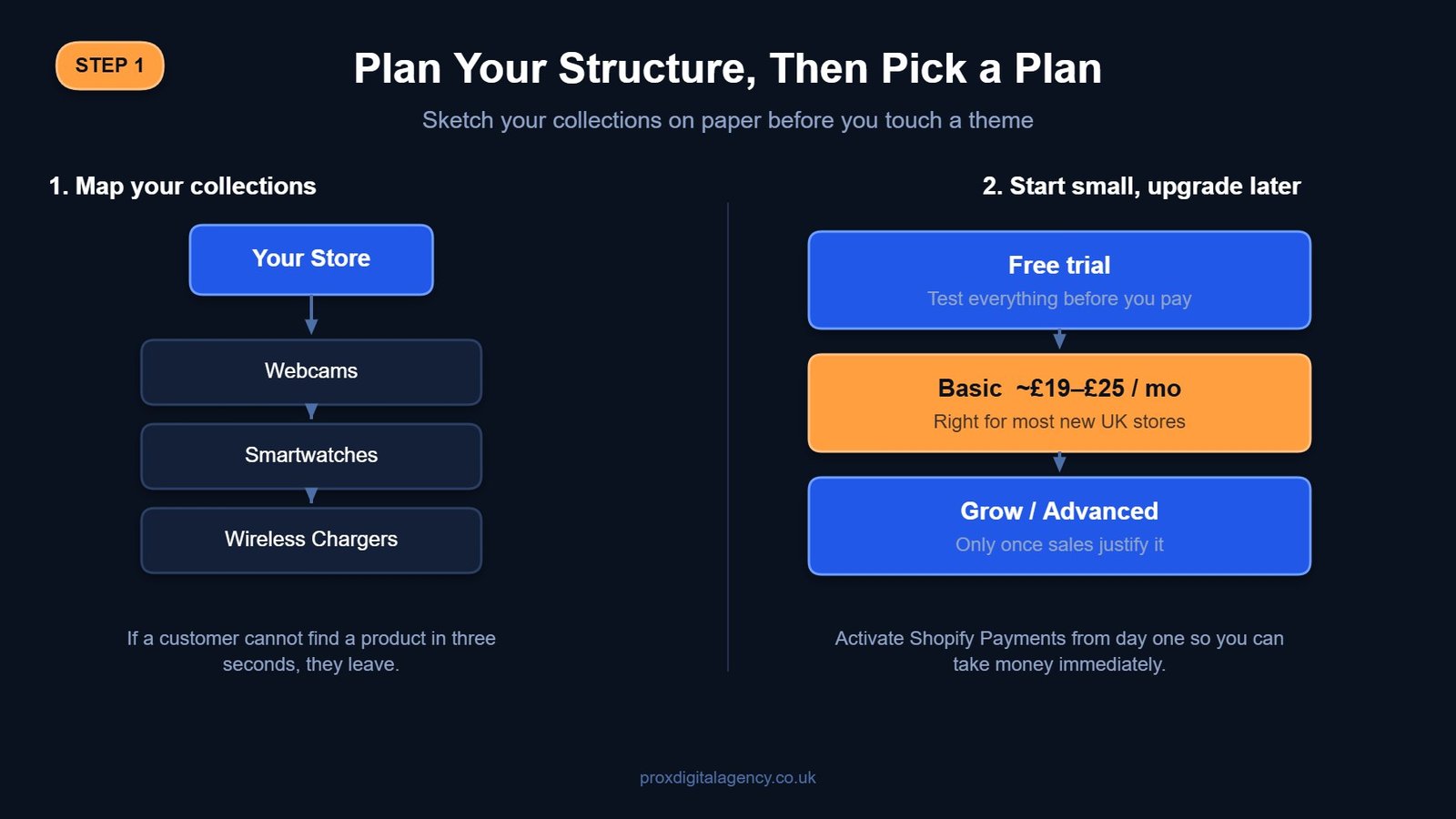
Before you even touch a theme, pause. Grab a pen. Write, what do you actually sell? A rough plan on paper saves hours of digital unpicking later. Every good Shopify website design tutorial begins with a solid plan.

- Make a list of your product collections on paper first (e.g., Webcams, Smartwatches, Wireless chargers).
- Think like your customer; if they can’t find the product in three seconds, they leave.
- Start with a free Shopify trial. The Basic plan is suitable for startups.
- Upgrade your plan as your sales climb.
- Activate Shopify Payments from day one for smooth online transactions.
Select and Customise a Mobile-Responsive Shopify Theme
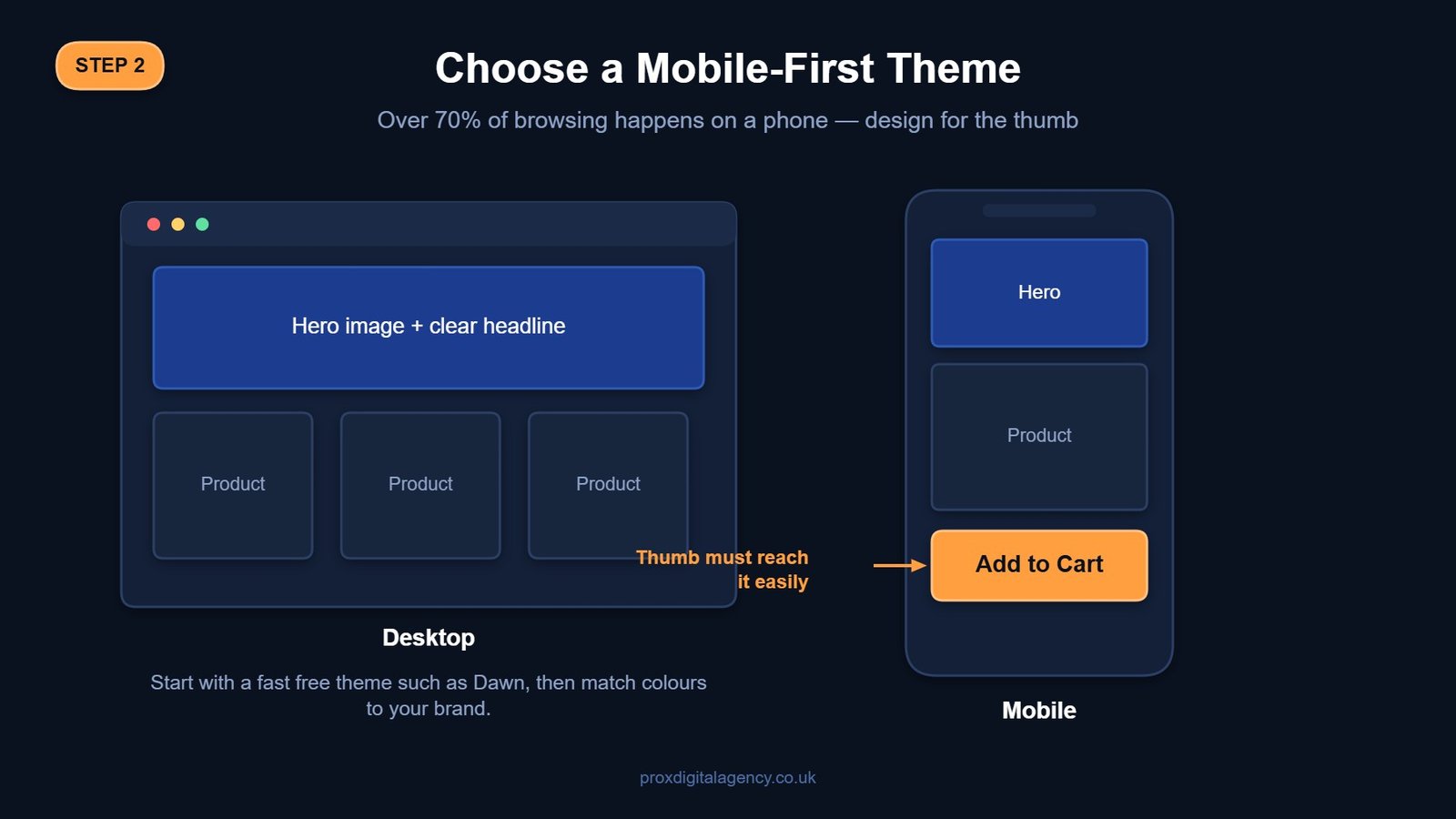
It’s time to decorate your Shopify. For any local business, speed and mobile look matter most. Over 70% of browsing happens on a phone. Go with a free theme first. The best part of Shopify website design for beginners is that you can create a professional-looking store without any coding experience.
Prox Digital Agency often rebuilds themes that looked good on desktop but confuse phone users. Here’s what you can do. For inspiration before you start customising, browse these examples of standout UK eCommerce website design to see what a well-executed Shopify theme looks like once it is dialled in.
- Use Shopify’s Theme Store filters for your industry and layout.
- Start with a free theme. We would suggest ‘Dawn.’ It’s fast and trusted.
- Use the drag-and-drop editor to match colours to your shop sign.
- Add your logo and keep fonts readable on a five-inch screen.
- Test every button on your mobile; a thumb must easily tap “Add to Cart”.
Configure Payments, Shipping, and Tax Settings
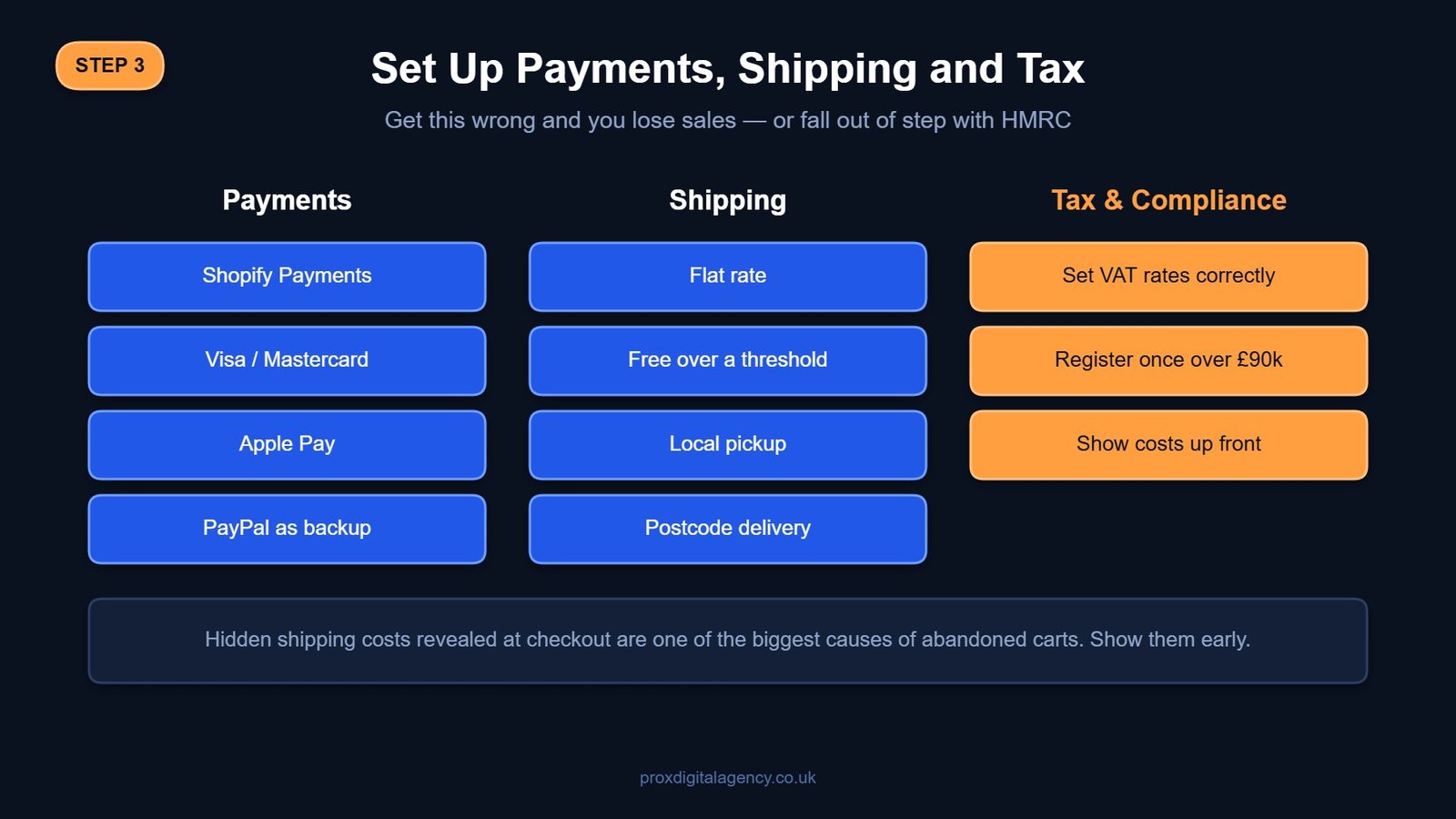
It is the part where many DIY builds fall apart. Incorrect settings can lead to compliance problems with HMRC — including missing the point at which you must register for VAT. But you don’t have to worry at all. Use this Shopify website builder guide to configure payments, shipping processes, and tax settings with confidence, even if you’re starting from scratch.
- Set up Shopify Payments so customers can pay using Visa, Mastercard, and Apple Pay.
- Add PayPal Express as a trusted backup for new customers.
- Set up shipping integrations to automate labels, tracking, and order fulfilment.
- Set up flat shipping rates or a free delivery threshold.
- Don’t forget “Local Pickup” and local delivery for your postcode radius.
Create Optimised Shopify Product Listings
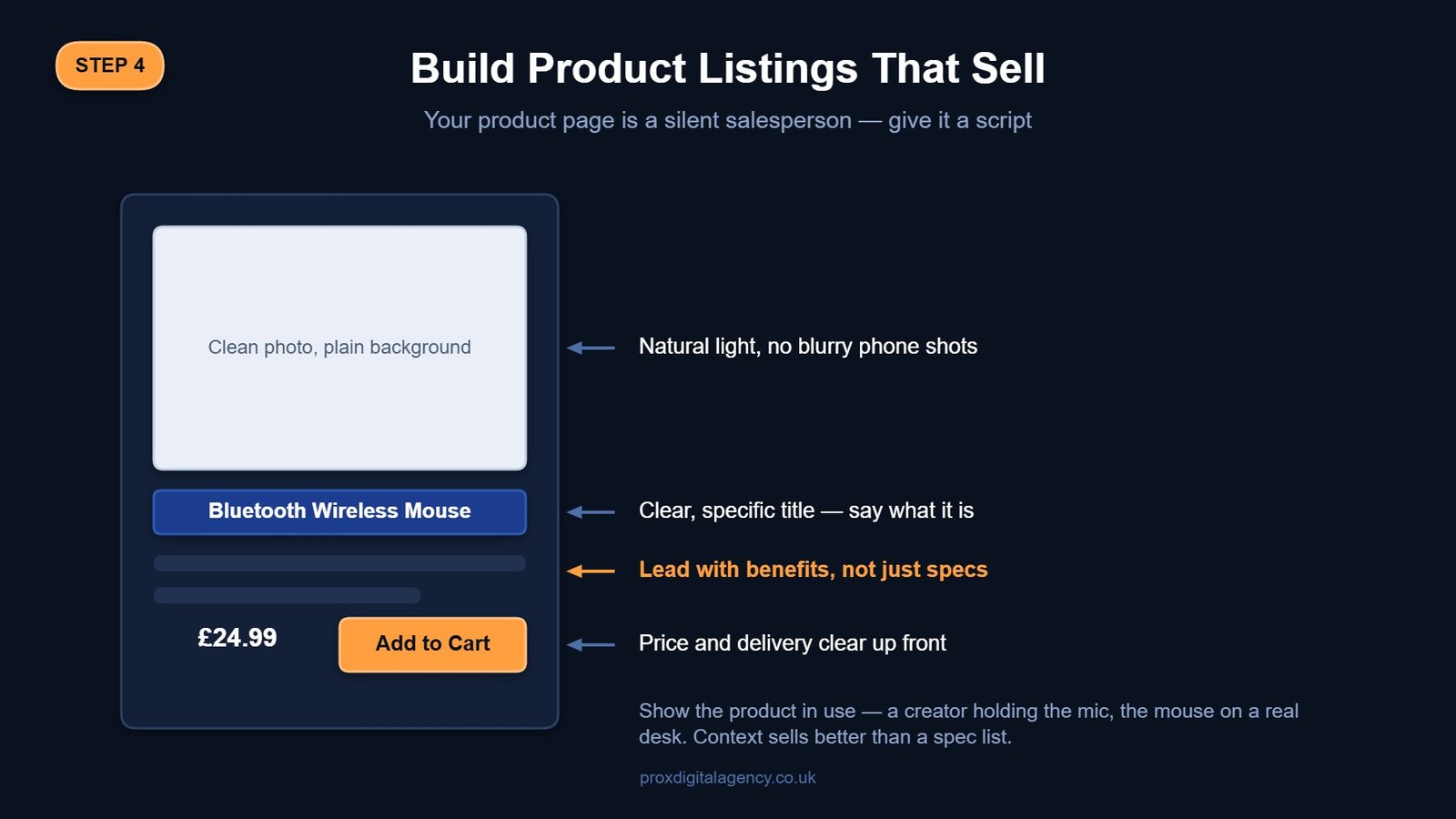
Products sell themselves, right? Wrong! A bad image kills a good product. Your image description is your silent salesperson. Go beyond the specifications and highlight the value your product offers. This is the true secret of how to make a Shopify website for your business to stand out against generic listings.
- Use clean, natural light backdrops instead of blurry phone shots.
- Show the product in use, such as a content creator using a USB microphone.
- Write benefits, not just specs.
- Write clear product titles, such as Bluetooth Wireless Mouse.
- Write a compelling meta description in the search engine listing preview.
Set Up Home, About, Contact, and Legal Policy Pages
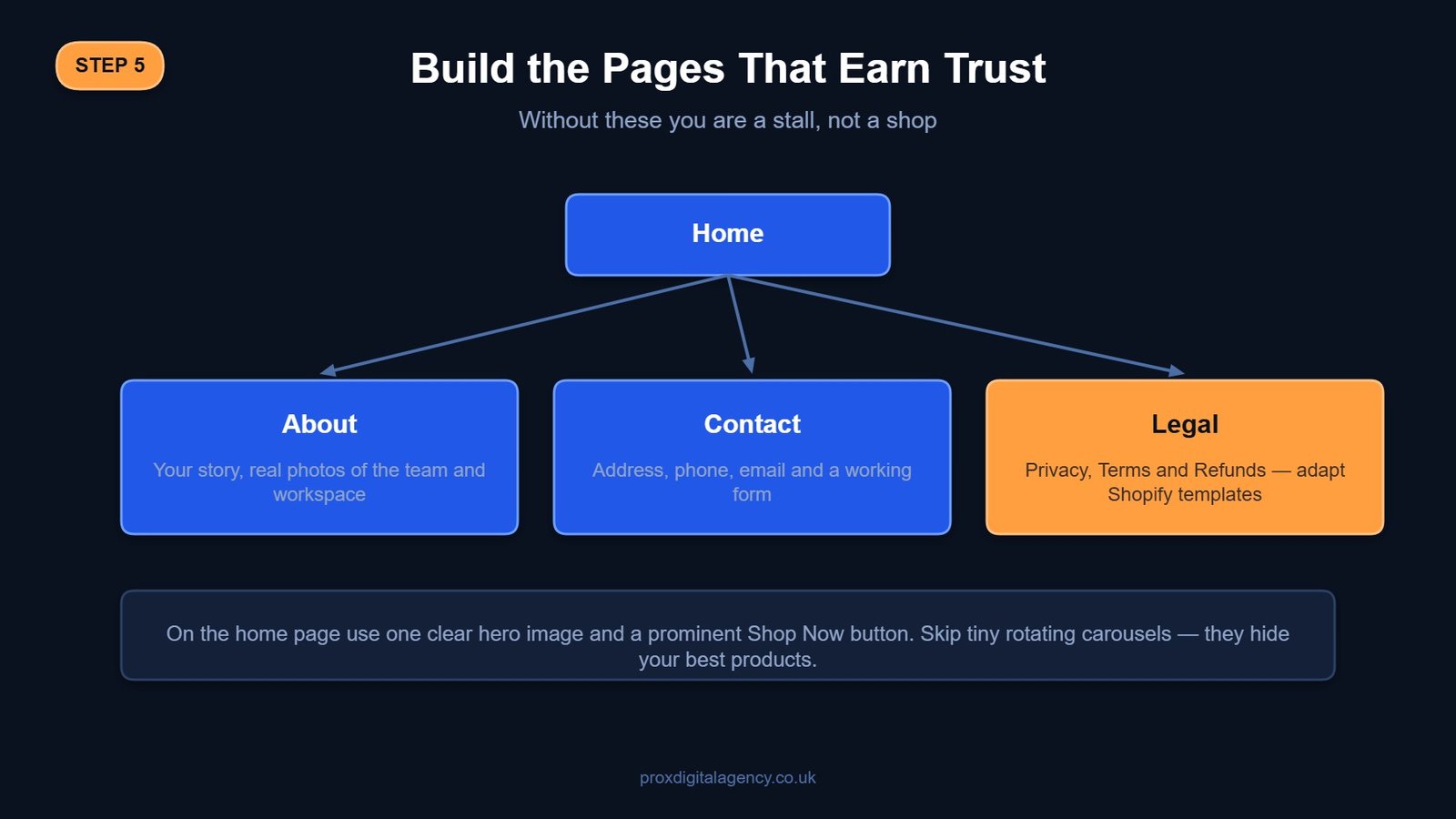
Your store needs a strong brand identity that customers recognise and trust. Show your story, your workshop, your messy desk. These pages help you build a Shopify store in reality. Without them, you’re just a stall, not a shop.
- Create a home page with a clear hero image and a prominent “Shop Now” button.
- Skip tiny, moving carousels.
- Use your About page to share your story and include authentic photos instead of stock images.
- On the contact page, include your physical address, phone, email, and a form.
- Legal pages should adapt Shopify’s templates for Privacy, Terms, and Refunds.
Install Must-Have Shopify Apps
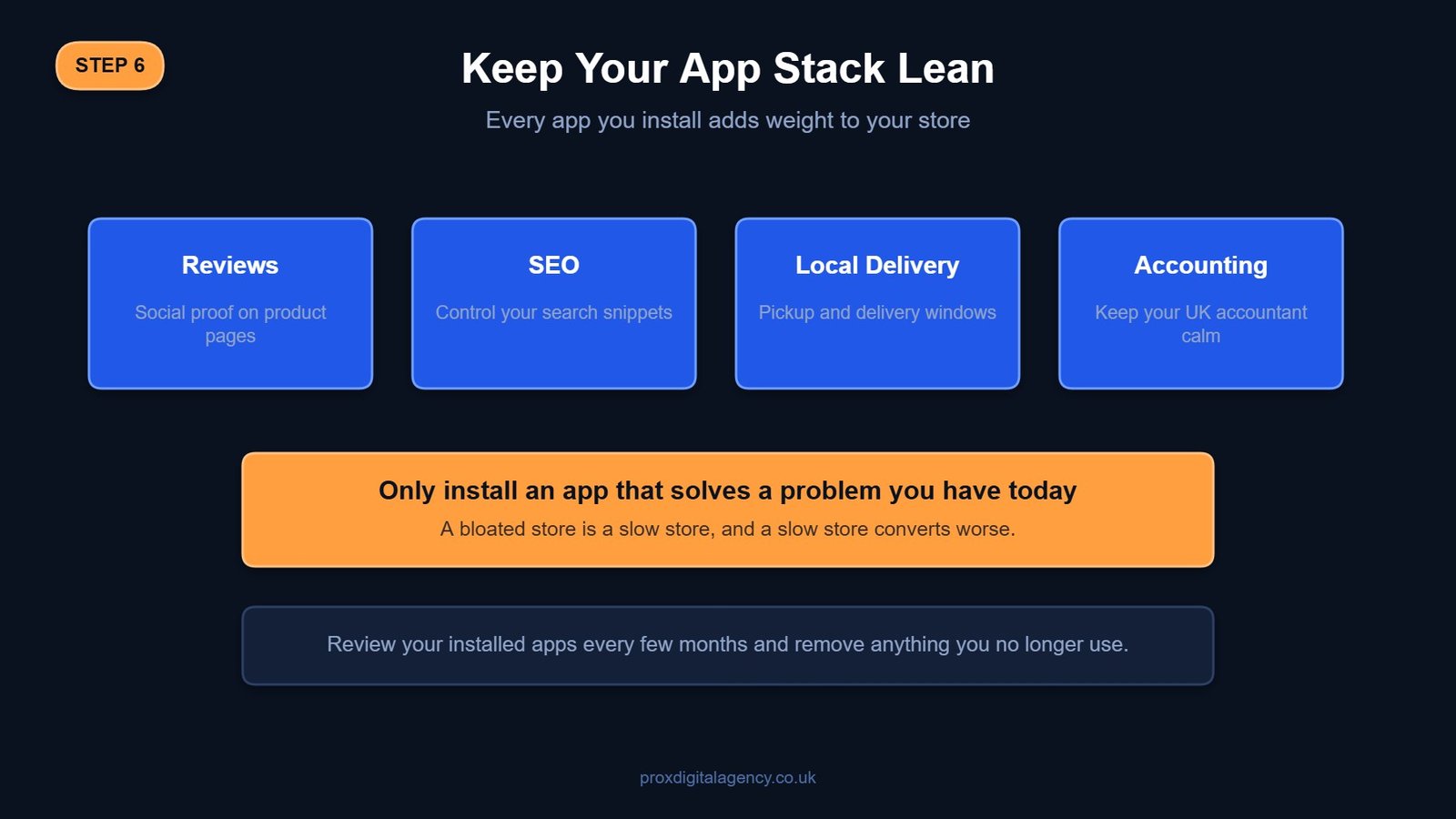
Apps add function. But too many can slow your site. Start lean with just the essentials. This modern Shopify website builder guide stops you from creating a bloated, slow digital store. Only install what you need today.
- Judge.me: For importing reviews and building essential social proof.
- Yoast SEO or similar: To help you nail your search engine listing snippets.
- Zapiet or Local Delivery: If your customer needs to choose a delivery date, delivery time, or store pickup at checkout.
- A QuickBooks or Xero integration to keep your UK accountant calm.
Only add an app if it addresses a specific and current business need.
Testing and Launching Your New Shopify Website Checklist
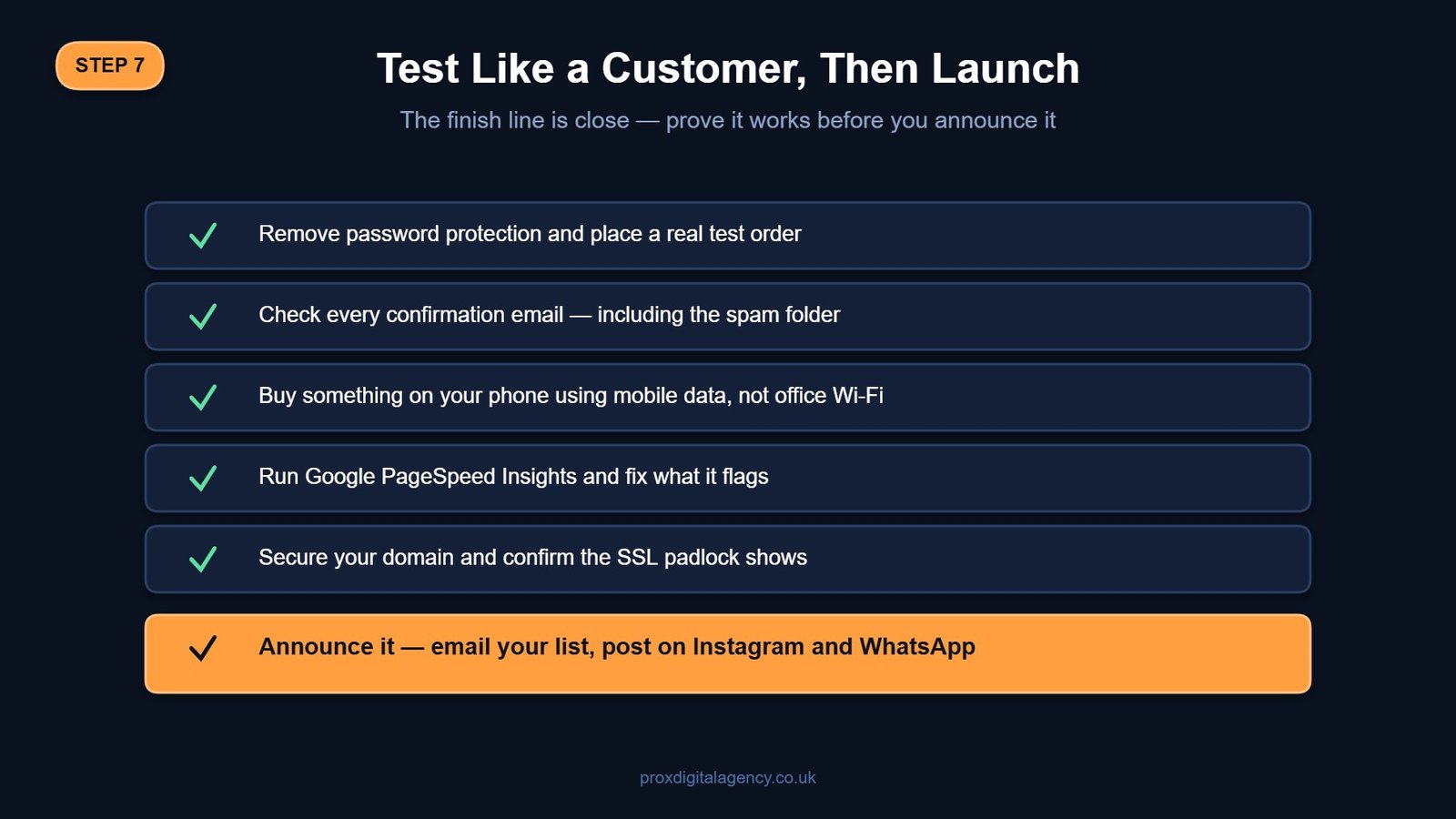
The finish line is close. A successful launch starts with thorough testing. This checklist caps off the rigorous Shopify design step-by-step 2026 blueprint.
- Remove the password protection and do a live fake order to a real delivery address.
- Check every confirmation email; ensure it is not landing in the spam folder.
- Buy a product on your mobile using 4G, not your office Wi-Fi.
- Use Google PageSpeed Insights to identify any high bounce rates.
- Secure your domain connection.
- Announce the launch with an Instagram post, WhatsApp status, and client emails.
Choosing Between DIY Shopify Setup and Professional Website Design
You can build a store. The tools exist. But a DIY approach often holds you back from your growth. Time is also a currency. Prox Digital Agency steps in where the drag-and-drop ends — our eCommerce website design and development service maps out customer psychology and builds revenue engines around it.
We will help you pin down when it is time to hire a professional Shopify design agency instead of continuing DIY experimentation — and if you are weighing up the trade-offs, our cost-benefit breakdown of custom vs template websites is a good place to start.
- The design might look functional, but not distinctive enough for your brand.
- You follow the Shopify website design for beginners path perfectly, yet sales are stagnant.
- Every hour spent designing your store is time not spent on your core business.
- You need custom API integrations or a totally bespoke storefront design.
- Your site feels “home-made” rather than “hand-crafted”; we fix that.
When these challenges start holding your business back, it’s time to consider a professional Shopify solution from Prox Digital Agency.
Conclusion
So, that’s the whole roadmap. From blank page to first sale. Building a Shopify site is not magic. It’s a sequence. Plan the structure, dress it cleanly, set up compliance, add soul through products, and test like a customer. Follow this Shopify website design tutorial, and you’ll avoid the classic pitfalls.
Knowing the steps and executing them beautifully are two different roads — and that is where Prox Digital Agency comes in, now supporting Shopify businesses globally.
Frequently Asked Questions About Shopify Website Design
Can I design a Shopify website with no tech background?
Absolutely, you can design your Shopify store with no tech background. Shopify uses a visual editor. Plan your content and product presentation. And follow these steps
Pick Your Store Layout and Pick the Right Shopify Plan
- Select and Customise a Mobile-Responsive Shopify Theme
- Configure Payments, Shipping, and Tax Settings
- Create Optimised Shopify Product Listings
- Set Up Home, About, Contact, and Legal Policy Pages
- Install Must-Have Shopify Apps
- Testing and Launching Your New Shopify Website Checklist
How much does a basic Shopify site cost to run in the UK?
Shopify’s Basic plan costs about £19 a month if you pay annually, or around £25 a month on monthly billing. Add a domain name for roughly £10 a year. You can launch a functional UK store for under £50 in your first month if you do the design graft yourself. App costs add a few quid monthly if you need extras.
What is the common mistake new Shopify store owners make?
The two common mistakes new Shopify store owners make are
- Poor product images and hidden costs.
- Springing unexpected shipping charges at checkout kills the trust.
Fix those two things, and you’re ahead of 90% of beginner projects to build a Shopify store.
Should I pay for Shopify’s premium theme immediately?
No. Shopify’s free “Dawn” theme is robust and fast. Launch with a free theme, make your first few sales, and only upgrade if you need a specific feature you can’t achieve.
How long does it take to design and launch a Shopify website?
A basic store built on a free theme like Dawn can go live in one to three days once your products and images are ready. A fuller, professionally styled store with custom branding typically takes two to four weeks, and complex builds with bespoke features or large catalogues can run to four to eight weeks.
Is Shopify good for SEO?
Yes. Shopify generates clean URLs, automatic XML sitemaps and fast-loading themes like Dawn out of the box. Strong rankings still depend on you writing unique product descriptions, setting proper title tags and meta descriptions, and keeping your collection structure logical, so most stores still benefit from a dedicated SEO pass.


 US
US UK
UK +44 (7) 43 8304 605